A snapshot as of 13.3.0 (released 2026-11-21). It will go stale as the app moves on — that is expected, and the living reference is the guide each section links to.
Upgrade:
npx mulmoterminal@latest
Nothing to configure. Most of this release is in the Library (More features → Library). Its row of kinds under the search box now reads Conversations · Memory · Repeats · Tools · Storage.
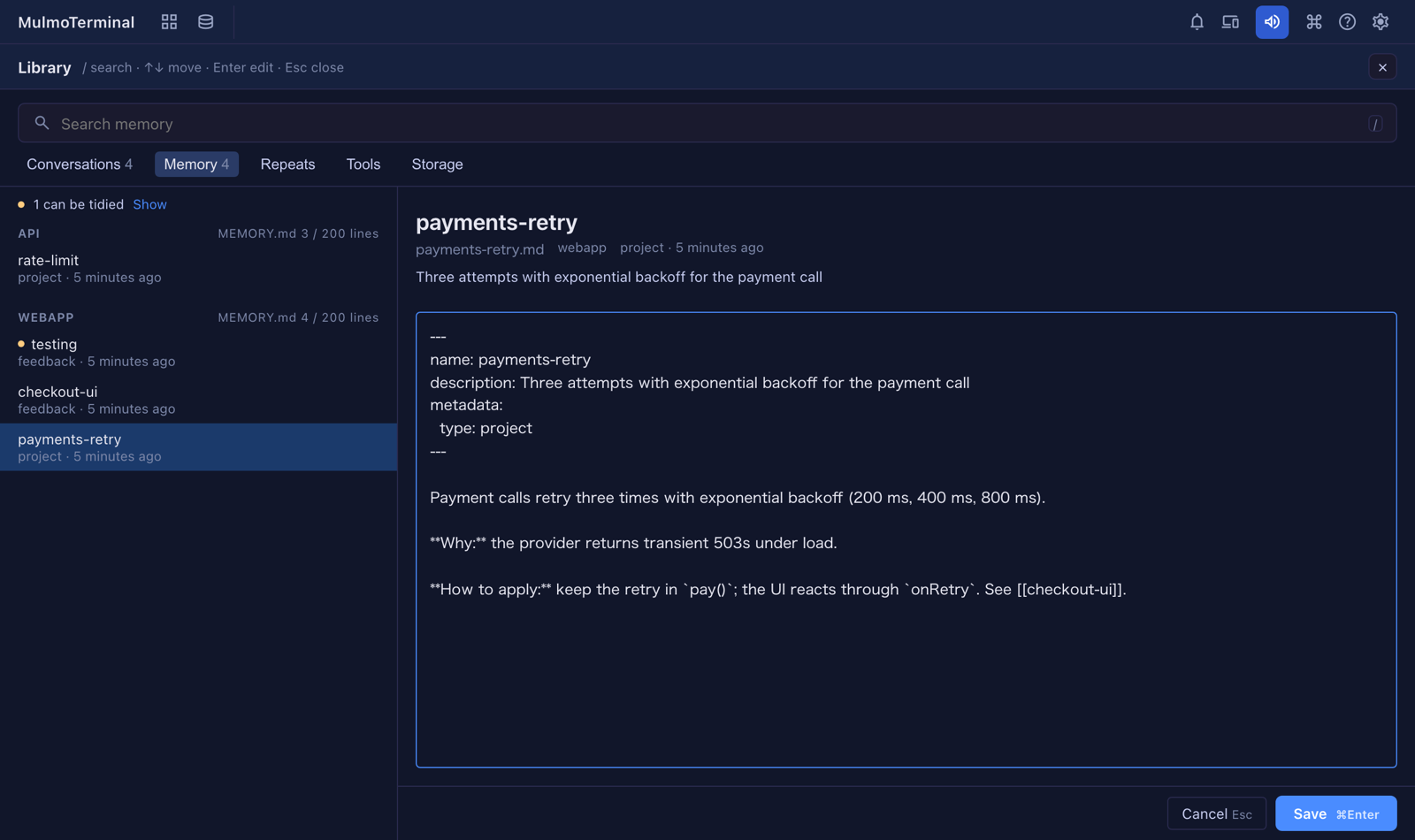
In 13.2.0 the Memory kind could only be read. Now it can be changed — and it tells you what is worth changing.
MEMORY.md, frontmatter missing name,
description or type, a [[link]] to no memory, a file it names that is gone, or a
MEMORY.md that is missing, too long for Claude Code to read to the end, or lists a file that is
not there (#3353).Enter) to change the memory’s
whole text, frontmatter included. ⌘Enter saves, Esc cancels. If Claude Code wrote the file
while you were editing, the save is refused and read it again is offered, with your edit
kept. A Claude session running in that project is warned of
(#3354).MEMORY.md. There is no confirmation: the notice that appears has Undo, which
puts both back (#3355).MEMORY.md line,
and every [[link]] that pointed at it now points at the one you kept — the editor says how
many before you save. Undo puts all of it back
(#3356,
#3358).Open a conversation in the Library and press ⋯ at the bottom. Under Promote to are A memory, A CLAUDE.md rule, A plan, An issue and A skill.
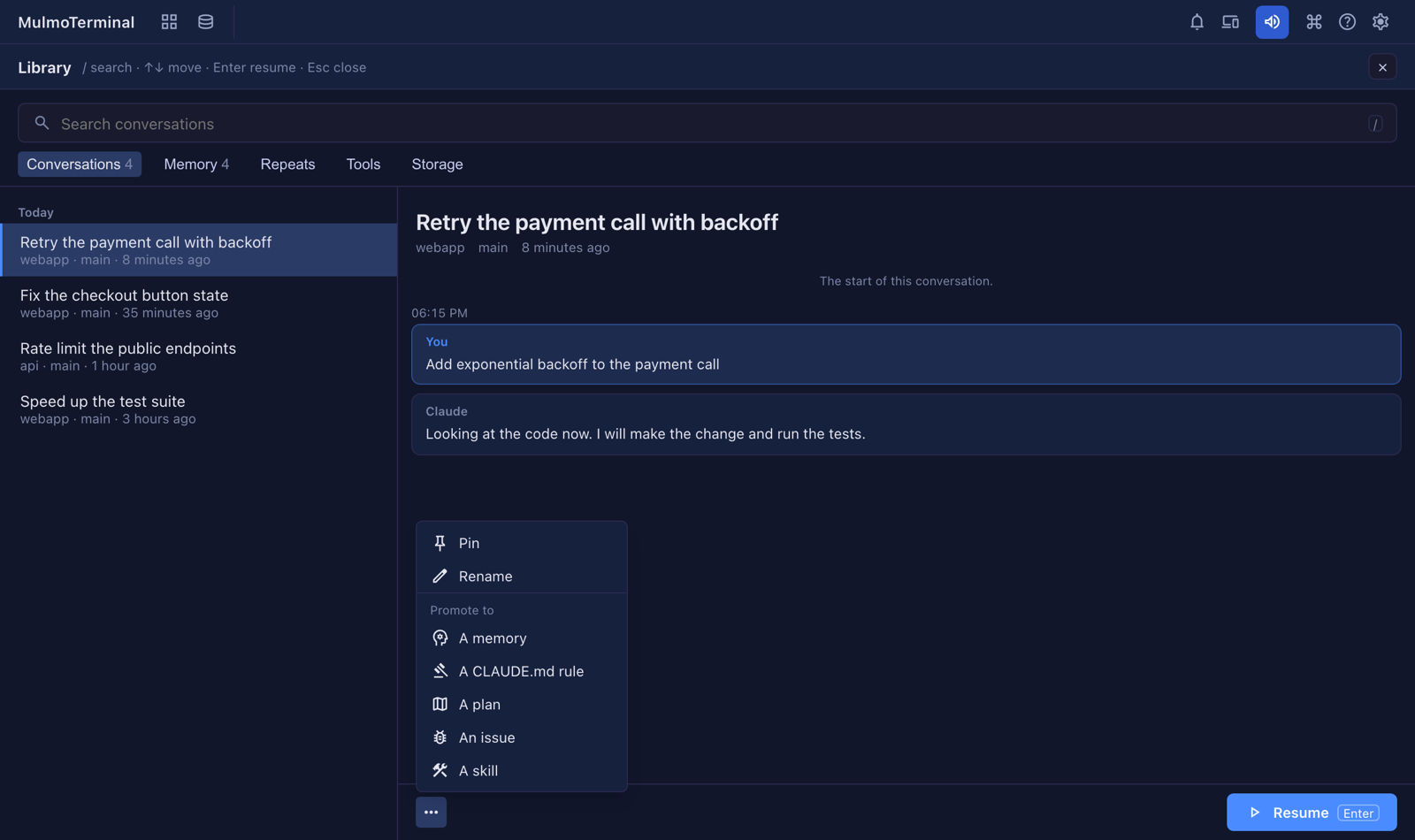
Pressing one closes the Library and opens a Claude cell in plan mode, in the directory the
conversation ran in. It runs the bundled mulmoterminal-library skill, which reads the
conversation, drafts what it would write (for a rule it asks which CLAUDE.md; for a skill,
whether to make a new one or improve one you have) and writes nothing until you approve the
plan. Every file it changes is backed up first under ~/.mulmoterminal/library/backups/, and it
tells you how to undo each change
(#3366).
Repeats lists what you typed 3 times or more, in 2 conversations or more, in the last 90 days —
read from Claude Code’s prompt history. Slash commands, ! lines, pasted text, automated runs and
very short replies are left out, and the same words written slightly differently are grouped.
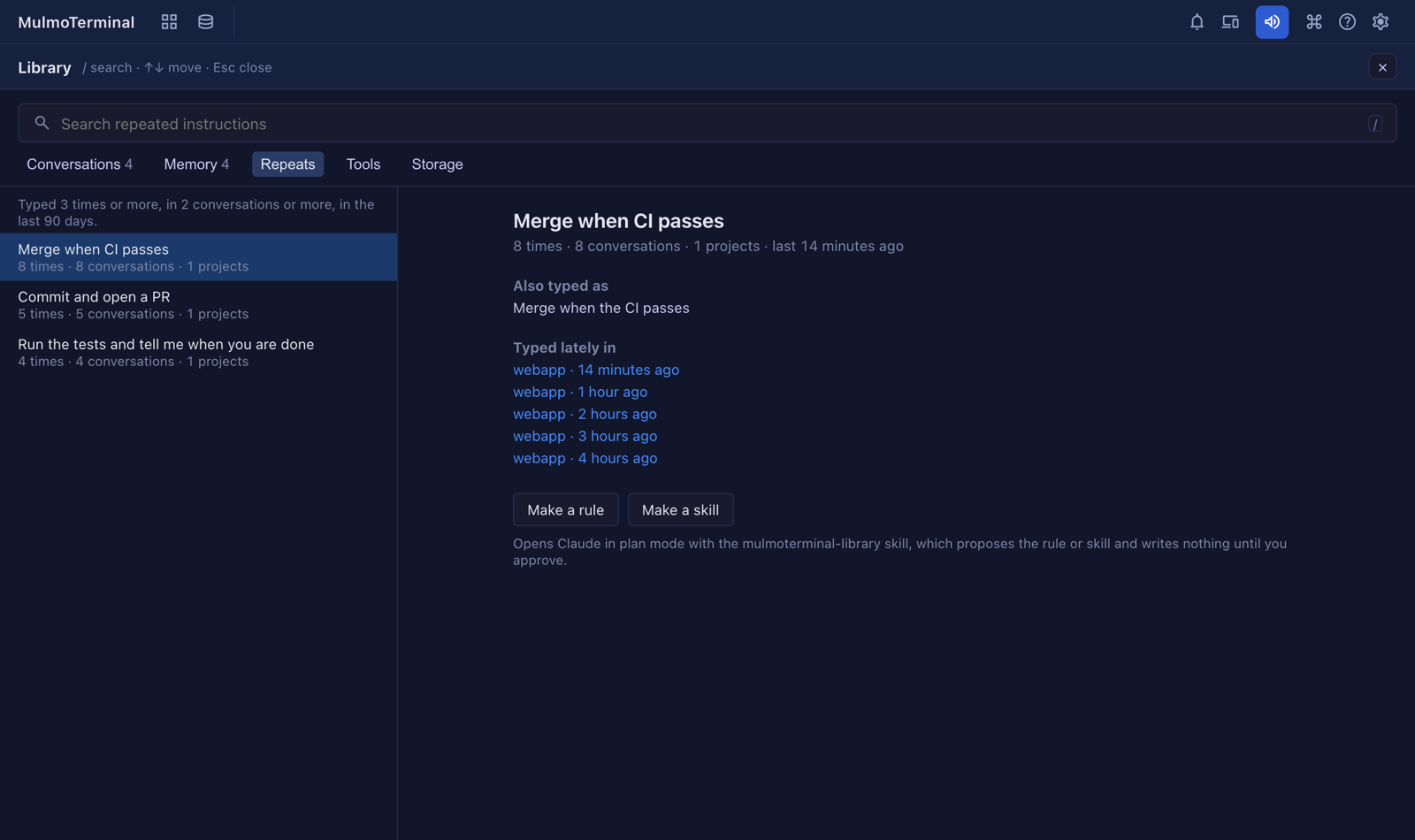
Pick one to see how else you typed it and the conversations you typed it in lately (click one to
open it). Make a rule or Make a skill opens Claude in plan mode with the
mulmoterminal-library skill, in the directory you typed it in most. It proposes the rule or skill
and writes nothing until you approve
(#3393).
Tools asks for a Directory (one a conversation ran in) and lists the instruction files
Claude Code loads there, in the order it loads them: the organization’s, yours, each CLAUDE.md and
CLAUDE.local.md from the root down, the project’s rules, and the files they import with @path
— or AGENTS.md where there is no CLAUDE.md. Pick one to read it beside the list
(#3367).
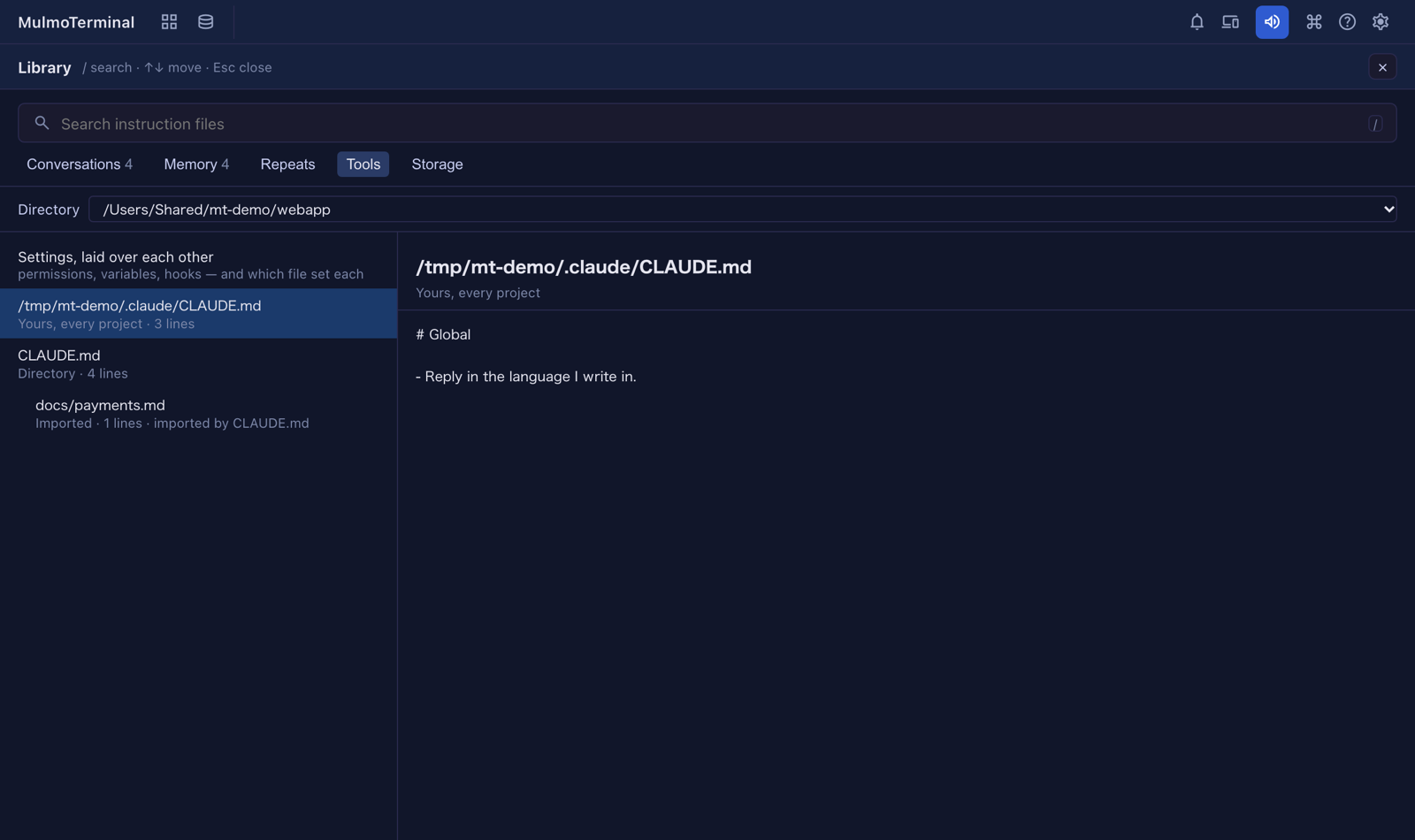
CLAUDE.md that still points at a file you moved
(#3385).settings.json: permission rules
(Allowed without asking, Always asked, Denied), environment variables, hooks and other
settings, each naming the file that set it
(#3382).Read only: nothing here writes a file.
Storage shows each entry of ~/.claude, largest first, with the total. Pick projects/ to see
each project, largest first, with the ones from temporary directories marked temp; type to
narrow them. It also says what cleanupPeriodDays is, and so how long Claude Code keeps
conversation transcripts.
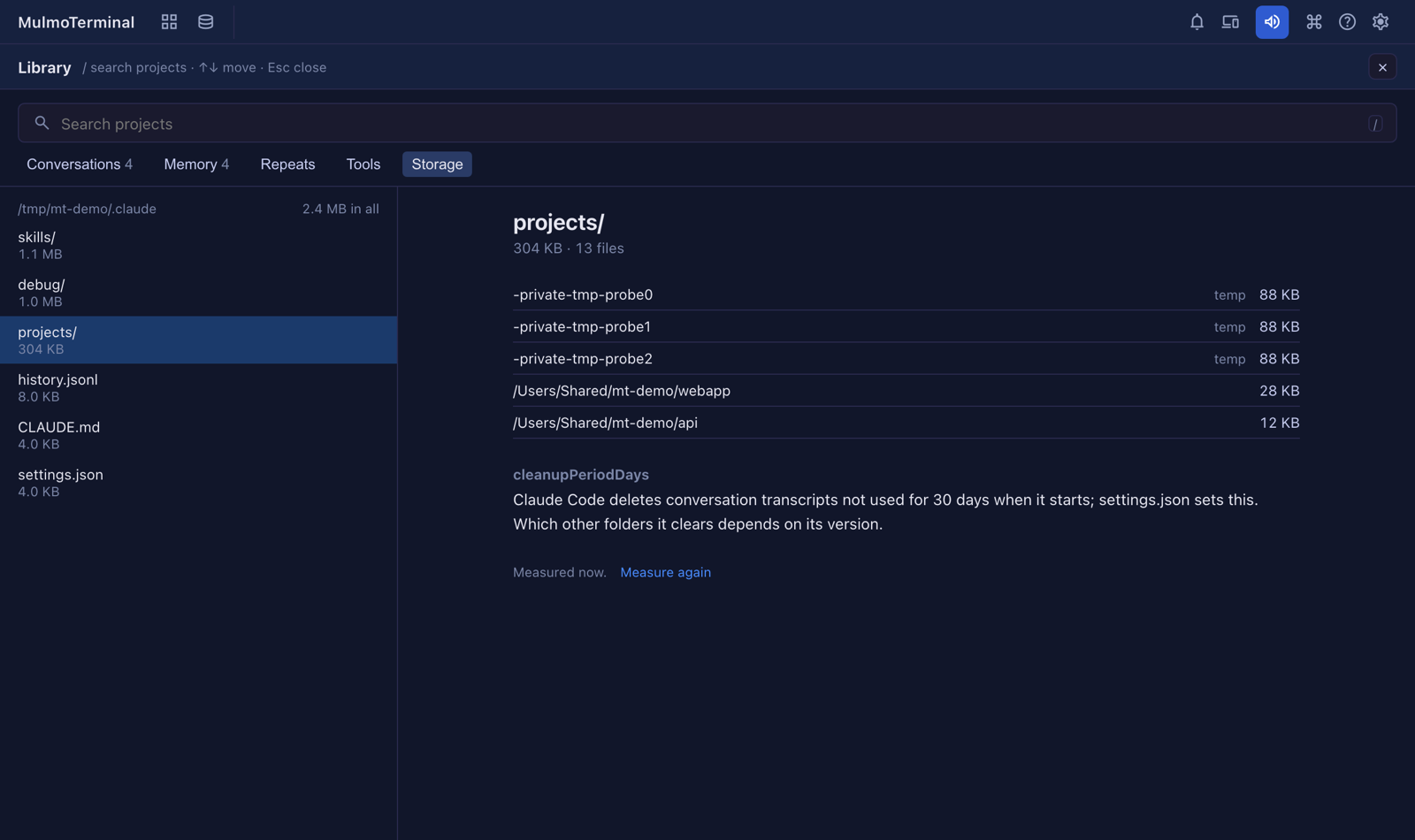
It is measured in the background, again when the last measurement is over an hour old, or when you press Measure again. Nothing is removed (#3384).
More: Feature reference — Library.
In More features → Skills, one of your own skills or a project’s now has an Edit button.
It opens the whole SKILL.md: ⌘Enter saves, Esc cancels. As with memory, a save is refused if
the file changed since you opened it. Plugin skills and the ones MulmoTerminal ships stay read only.
A project’s skill is in that project’s .claude/skills, which is usually committed
(#3387).
More: Feature reference — Skills viewer.
In a cell, Tools → Talk to another terminal… lists the other terminals. Each row now has a list icon beside Bring … last turn here: it brings every exchange since the last time this directory received one from that terminal, prompts and replies, without tool output. It is pasted, not sent — you press Enter. The first time, it brings as much as fits (#3392). More: Feature reference.
More features → Usage now opens with The last weeks: what twelve weeks of conversations cost, how many there were and how many PRs they made — by week, by project and by agent. It is added up from the Library’s index; a conversation counts in the week it started (#3390). More: Token usage.
In the GitHub view, Open the board (experimental):
main …) or on no branch shows in a row above that
repository’s columns, grouped by branch, instead of nowhere
(#3386).More: GitHub — the board.
More: Agents.