10.3.0 — The agent shows you files and asks you to check its work
A snapshot as of 10.3.0 (released 2026-10-12). It will go stale as the app moves on — that is expected, and the living reference is the guide each section links to.
New features
The agent opens files in the pane beside its terminal
An agent can now open a file in the Files pane of its own cell: in the editor, the Preview, the Canvas view, or the editor beside the Canvas view, and at a given line. When it has just changed something, it can show you the change instead of describing it (#3023, #3022).
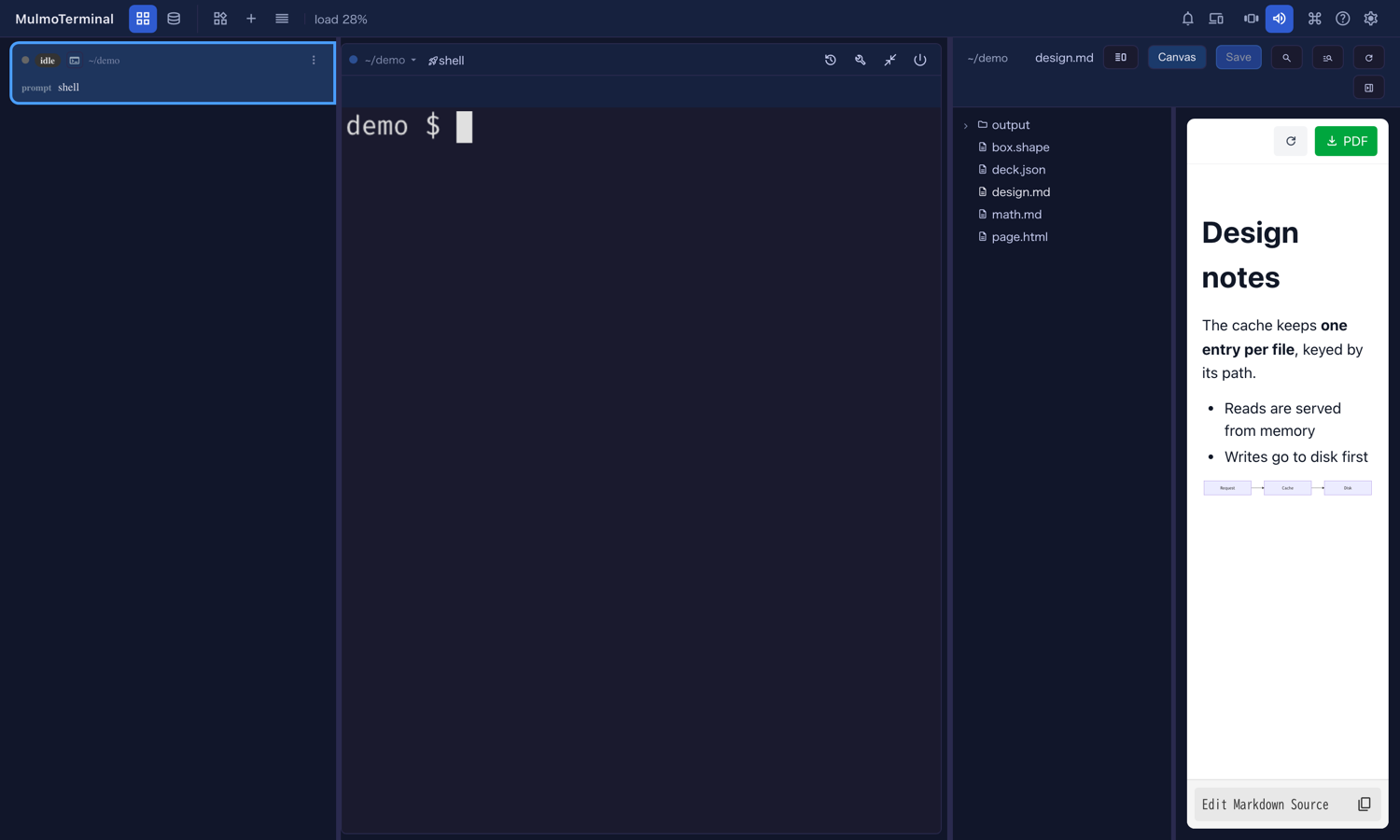
To try it: start a new Claude session in the workspace, or in a project directory with Canvas on in the launcher. Ask “show me README.md in the Canvas view”. The pane opens beside the terminal with the file in it.
The agent asks you to check its work
An agent can also put a checklist over its terminal. Each item says what to look at and can open its file in one click. Mark each one OK or NG, add a note if something is wrong, and press Send: the answers are typed into the terminal as one line, and the agent reads them as your next message and fixes the NGs (#3023).
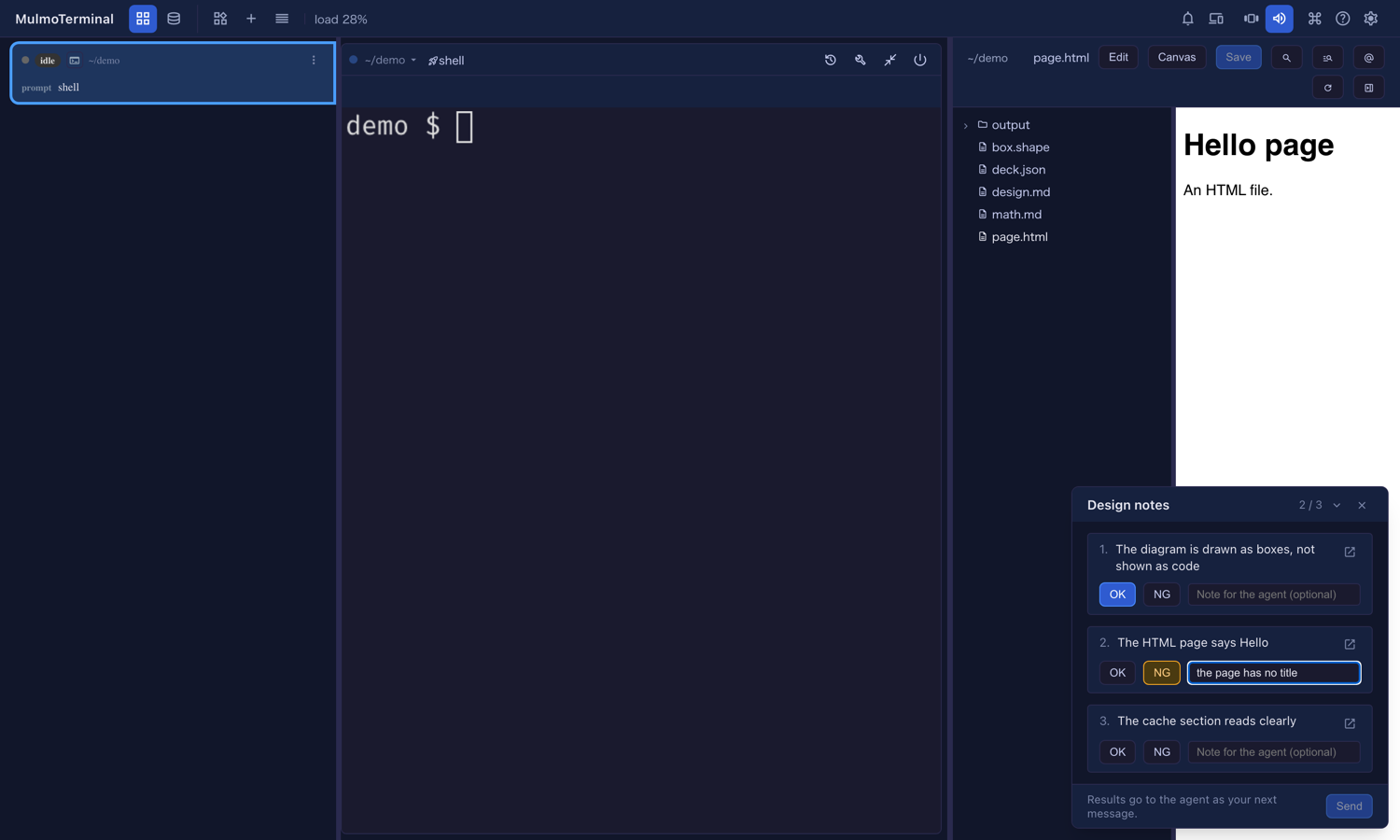
To try it: after the agent finishes a change, ask “give me a checklist to confirm it works”. The card appears at the bottom right of the enlarged cell. Fold it to see the terminal, or close it to put it away without sending.
If the agent’s cell is not the one on screen, nothing on your screen changes: the file or the checklist waits until you enlarge that cell. If no cell is enlarged, the agent’s cell is enlarged for you.
Everything about both tools, what to ask for, and their limits: The agent drives your right pane.
What looks different
- A checklist card can appear at the bottom right of an enlarged cell, when the agent asks for one.
- The Files pane can open by itself when the agent shows you a file.
Under the hood
- Both tools are in the Canvas tool group (
render). Anything that already had the Canvas tools gets them; a session that was running before the update does not, so start a new one. - The agent can only reach its own cell’s pane, and only files inside its working directory.
- Nothing needs doing.