10.9.0 — Spreadsheets on the Canvas, and a folder as a gallery
A snapshot as of 10.9.0 (released 2026-10-19). It will go stale as the app moves on — that is expected, and the living reference is the guide each section links to.
New features
Spreadsheets with live formulas on the Canvas
An agent can now put a spreadsheet on the Canvas beside its terminal (#3078, #3076). Totals, averages and percentages are real formulas, so when you change a number in a cell everything that depends on it recalculates at once. Several sheets sit in one spreadsheet as tabs, and Excel at the top right downloads it as an .xlsx file.
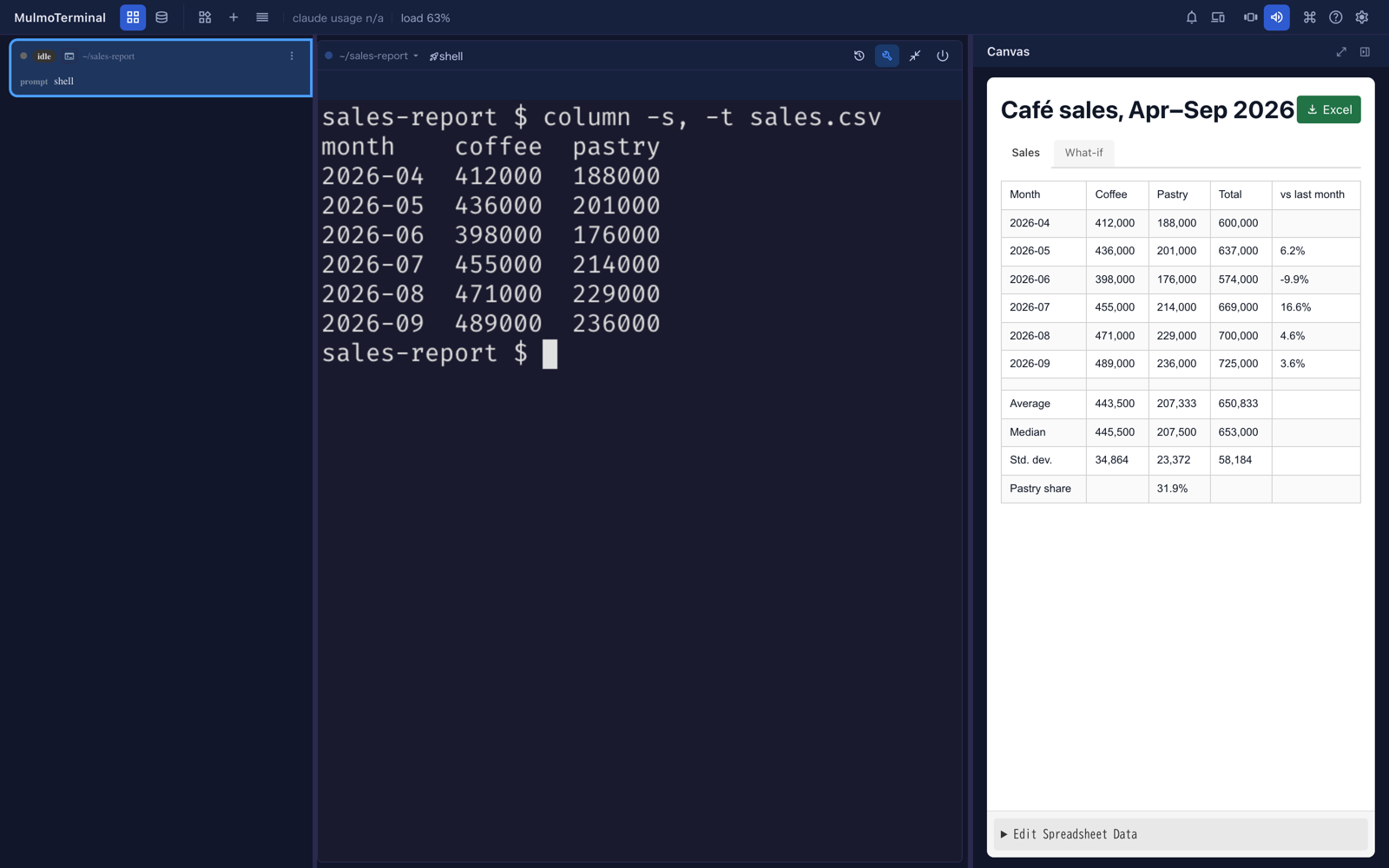
To try it, ask in plain words: “put this month’s numbers in a spreadsheet”, “chart it”.
- In the workspace, a Claude, Codex or Copilot cell can do it already.
- In a project directory, switch on Canvas in the launcher’s MCP toggles, then start a new session there.
When you have changed some numbers, ask the agent to read the sheet again. It sees what you changed.
More: Spreadsheets, charts and data analysis in conversation, including the functions you can use.
Analyse a CSV: /mulmoterminal-data-analysis
A new bundled skill takes a CSV or TSV from start to finish (#3093, #3091):
/mulmoterminal-data-analysis orders.csv
It checks the columns and the empty values, works out summary statistics, shows a spreadsheet and charts that fit the data, and says where everything was saved. Its scripts go in <workspace>/artifacts/analysis/, never in your repository. “Analyse orders.csv” is usually enough; you do not have to name the skill.
If you edit the sheet and ask it to read it again, the recalculated sheet comes back as a new spreadsheet (#3095). Edit that one from then on.
More: Analyse a CSV from start to finish.
A folder as a gallery in the Files pane
Right-click a folder in the Files tree and choose Open as gallery (#3081, #3079). That folder’s pictures, videos, sounds and PDFs appear together, in name order (2.png before 10.png).
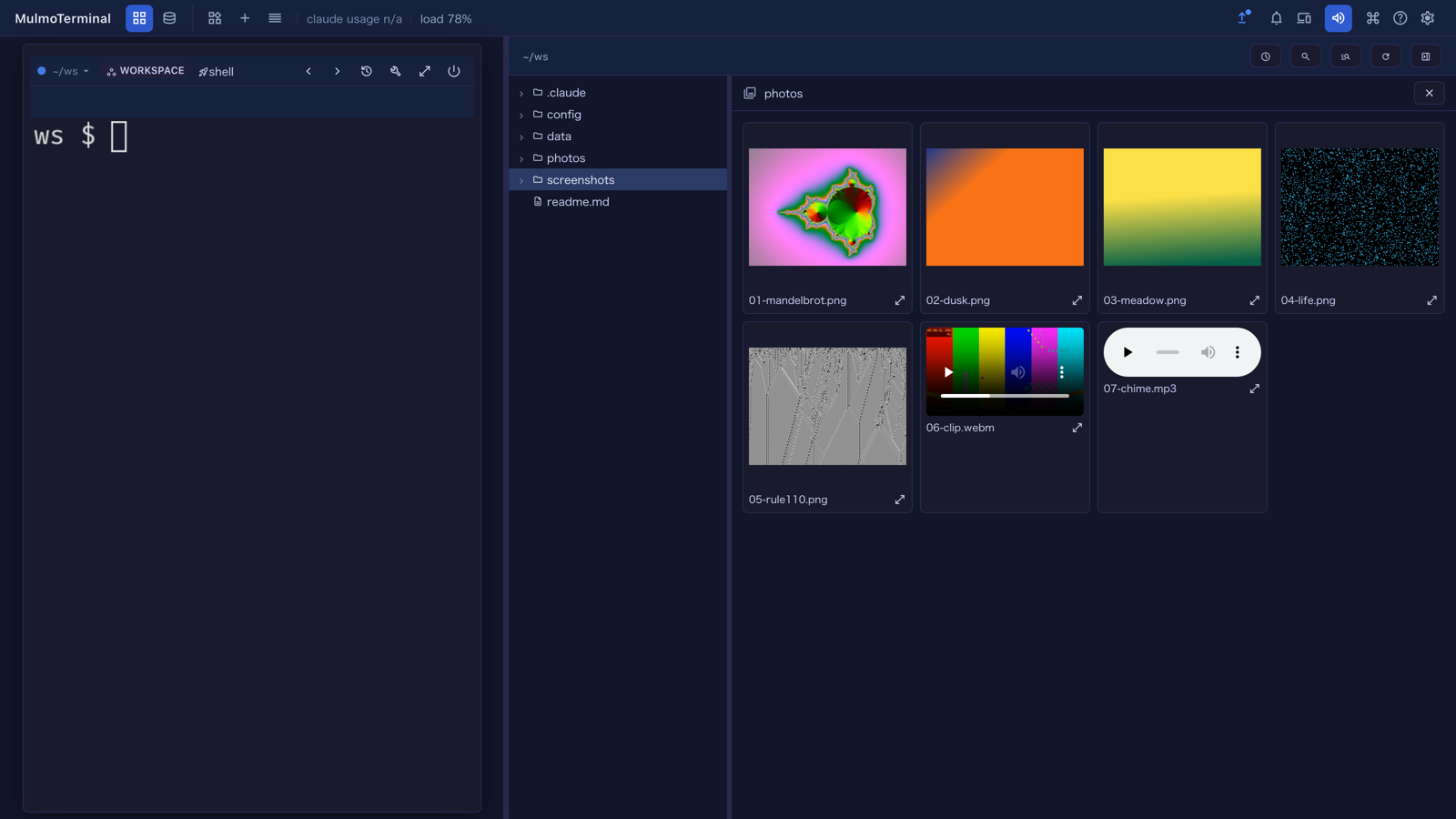
- Videos and sounds play inside their tile. Starting one stops the other.
- Click a tile to see it large. ← / → move through the folder, Esc goes back to the tiles, and Esc again closes the gallery.
- Only that folder’s own files are shown, not its subfolders. A large folder shows the first page of tiles, and Show more adds the next.
- Opening a file closes the gallery.
More: Feature reference.
What looks different
- Preview and Canvas carry to the next file (#3077, #3075). In the Files pane beside a cell, if you read a Markdown file in Preview and then open another one, it now opens in Preview too, instead of the editor. This is remembered per session and survives a reload. A file you had already set to another view keeps its own. The full-screen Files view is unchanged.
Under the hood
- A model can no longer make a screen-only save through a tool call (#3082, #3080). Saving from the HTML, ShapeScript or spreadsheet view on screen works as before; nothing needs doing.
- An agent in a project directory can read the file a spreadsheet or chart was saved to (#3085, #3084). The tool’s reply now gives the full path. Before, asking “read the sheet and tell me the total” failed in a project cell.
- The spreadsheet plugin is at 4.0.2 (#3089):
=LOG10(100)shows2instead of#ERROR!. - The guide has a page for spreadsheets and charts (#3088, #3086).
- The Files pane’s code was split into smaller pieces (#3087, #3083). It looks and behaves as before.