8.8.0 — Apps others can copy, share cards, page themes, and a full-width Conversation that fits
A snapshot as of 8.8.0 (released 2026-10-04). It will go stale as the app moves on — that is expected, and the living reference is the guide each section links to.
New features
All three are for shared apps, the forms and pages other people use through a link. The living reference for each is Shared apps → Spread it, and dress it up (#2898).
Let a visitor make their own copy
Tell the agent that people who see your app may make their own — for example “anyone who likes this question box should be able to make one for themselves” (#2889). Publish it again, and its public page offers Make your own: a visitor gets an empty copy of the app under their own account, with none of your answers.
- The cost is real and the agent will say so: every page of the app, the staff pages included, becomes readable by anyone. Answers stay where they were; it is the pages themselves that open.
- The question box, tally and survey-results templates come with this on (#2890). To keep one of them to yourself, ask the agent to turn it off before publishing.
Show a card when the link is shared
Ask for the app to be seen widely on social networks (#2893, #2894). When someone shares its link, the post shows a card with the app’s name — and for a question box, one card per question you published, with no sender’s name.
- Nothing is ever posted for you. The card only appears where someone pastes the link.
- The page’s address changes to one starting with
/s/. - A card a social network has already shown can stay there after you unpublish.
Give the public page your colours and a banner
Ask the agent to dress the page — “make the bar dark green and put our logo at the top” (#2897). It sets the bar and background colours, an icon, a ticker line, and a banner picture. Colours are written as hex codes; a banner must be a PNG, JPEG, WebP or SVG, and the agent can draw an SVG one for you.
What looks different
-
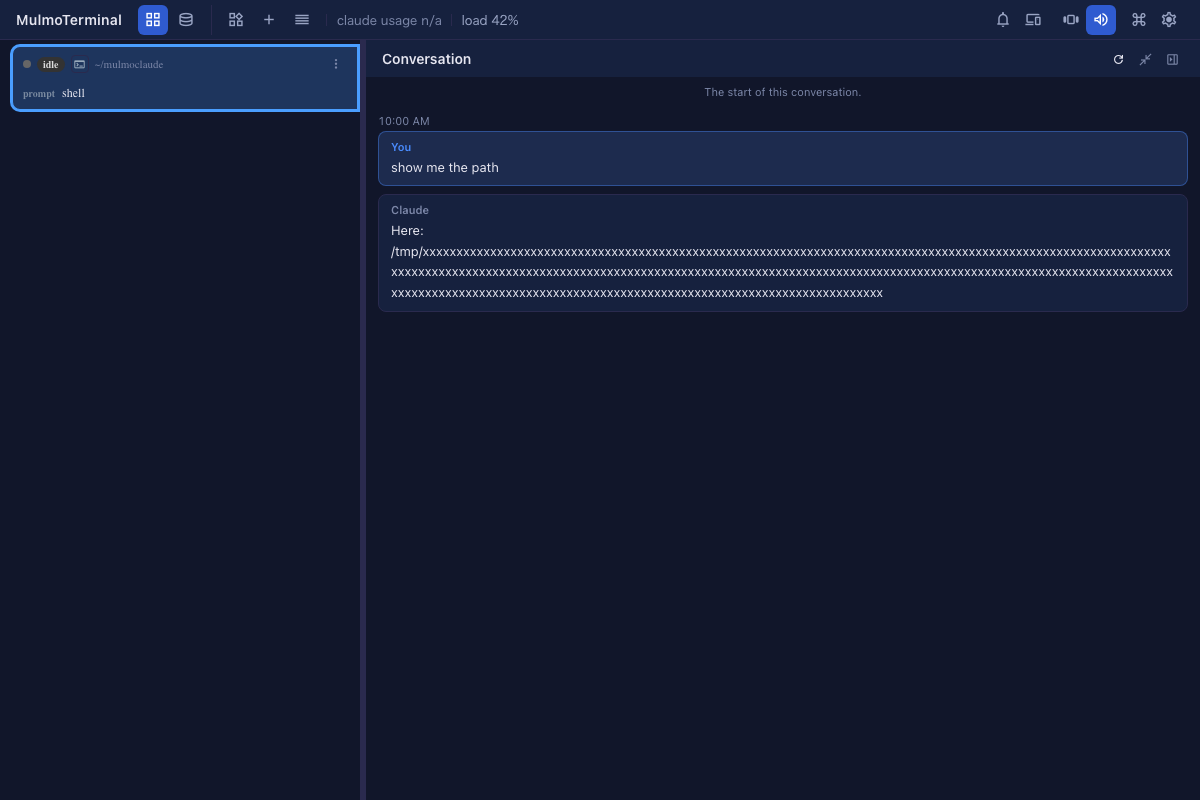
The Conversation pane fits the window when it is full width (#2900). A long line with no spaces in it, such as a path or a URL, used to push the pane past the right edge, taking its reload, expand and close buttons with it. The pane now stays inside the window and the line wraps, full width and side by side alike. The Tools, Prompts, Collections and Question panes are sized the same way and got the same fix. See Features.
Under the hood
- Document tasks run chaffjs 0.21 (#2892). A too-long sentence is now a note rather than something to fix, so the samples for “polish a company notice”, “polish a procedure” and “bring chaff into help pages” were given a different mistake to find. Nothing to do. See Blueprints.
- The shared-app library moved to
@receptron/sharedapp0.47.0 (#2895, #2896), which carries the three features above. Nothing to do.
How to tell you have this release: open the Conversation pane from a cell’s history menu with the cell enlarged; its three buttons sit at the top right of the window even when the conversation holds a long path.