7.3.0 — Header buttons of every kind, folders included, and PDF / video in the Files pane
A snapshot as of 7.3.0 (released 2026-09-30). It will go stale as the app moves on — that is expected, and the living reference is the guide each section links to.
Nothing needs configuring. Everything below is on screen already, or in Settings (the gear at the top right).
New features
Every kind of header button, from Settings
Settings → Header buttons and chips could add buttons that run a command or type text into the agent (7.2.0). Now it makes the rest:
- Buttons that open something (#2702) — choose Open something, then what: a web page (URL), a folder in the Files view or in the file manager, a new shell in a folder, a view of the app (changes, pull requests, wiki, collections, accounting), this branch’s pull request, or a file picker.
- Buttons that run an operation — choose Run an operation, then pick one from the same list the keyboard-shortcut settings use (open the Files pane, restart the agent, go to the Wiki, …).
- Edit a button (#2709) — the pencil on a row fills the form with that button; Save changes keeps its place.
- Folders (#2711) — the folder icon on a row puts that button into a folder: one you already have, or a new one you name there. A folder’s buttons are listed under it, where each can be edited, taken out, or removed. Taking out the last one removes the folder. The folder’s own pencil changes its name, icon and condition.
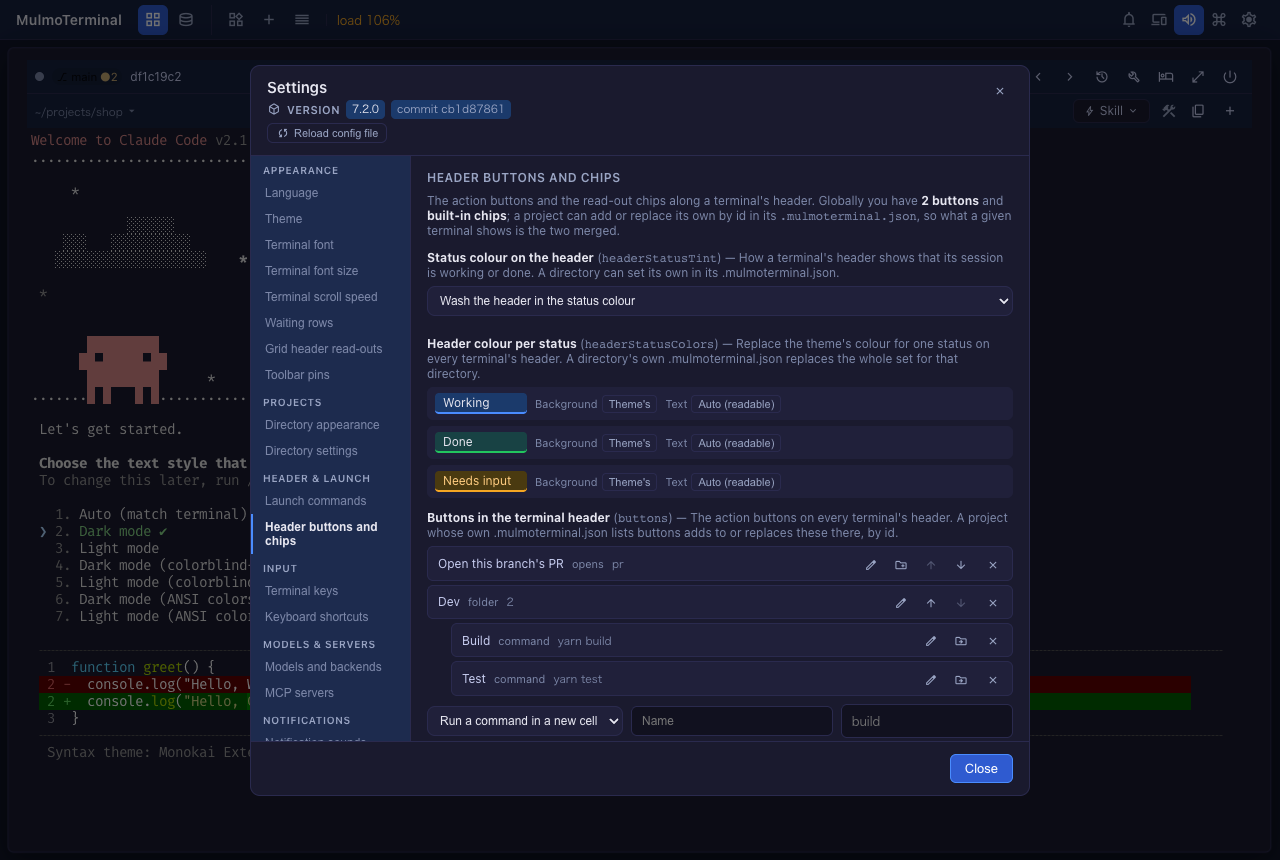
The open terminals update as soon as you press a button. More in the header guide.
PDFs, videos and audio in the Files pane
Click a .pdf, a video or an audio file in the Files pane and it is shown — the PDF in a frame, the video and audio with the browser’s player — instead of an error saying it is too large to edit (#2716, #2714). A path like that clicked in a terminal opens in the pane when one is open. A text file too large to edit now offers to open it in your computer’s own app instead of stopping at an error.
Scripts and skills in the command palette
The palette now lists the Run menu’s scripts (Run: build) and the Skill menu’s skills (Skill: /review) of the terminal it acts on; type > to see only things that run (#2699).
Blueprints
- Compare two versions of a contract or a policy article by article, and get a comparison table (#2705).
- Summarize documents to a chosen length, every sentence backed by a quotation the machine checks (#2712).
- Turning a collection into an app got two safeguards, described in the next section (#2706, #2715).
From a collection to an app
Blueprints can take a collection — or a shared app — from your workspace and build an app you own as code from it: its fields, screens and actions become the spec, and its records can move into the new app. You choose where the app runs:
| Base | Records go to | Images and files go to |
|---|---|---|
| Local (Express + SQLite + Vue) | SQLite | data/files/ |
| Firebase | Firestore | Cloud Storage |
| Cloudflare | D1 | R2 |
| Supabase (served by Cloudflare) | Postgres | Supabase Storage |
The record move is checked by machine: every record and every field has to read back with its original value, first locally and then, after you approve once more, in production.
To try it: Blueprints → New build, pick a base under Built on, pick コレクションからアプリにする under What to make, choose the source, and answer whether to copy the records too.
New in 7.3.0:
-
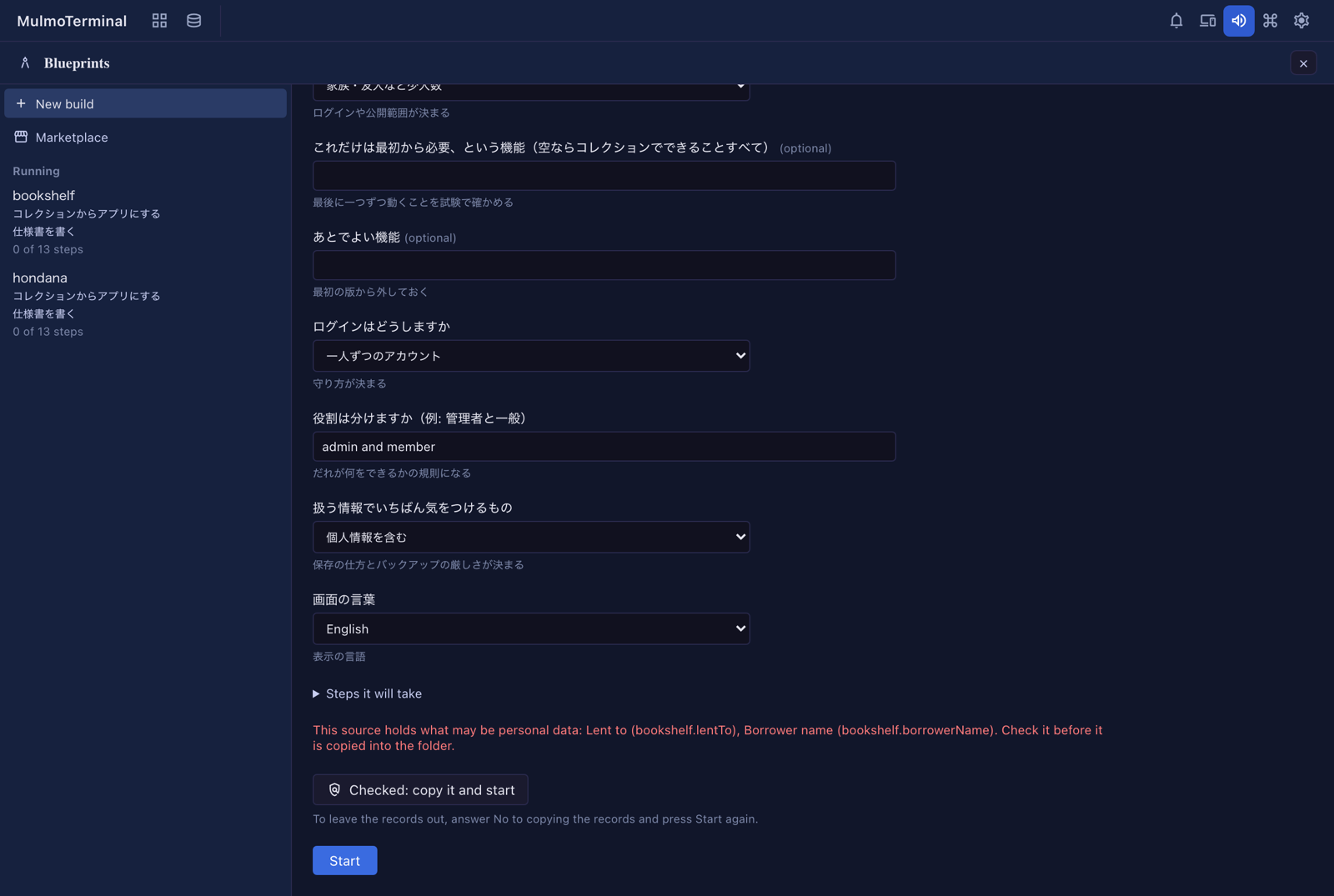
A check before personal data is copied (#2706). When the copy would carry email fields, fields named for a person’s name, phone or address, or a shared app’s member list, Start stops once and lists them. Press Checked: copy it and start, or answer No to copying the records.
-
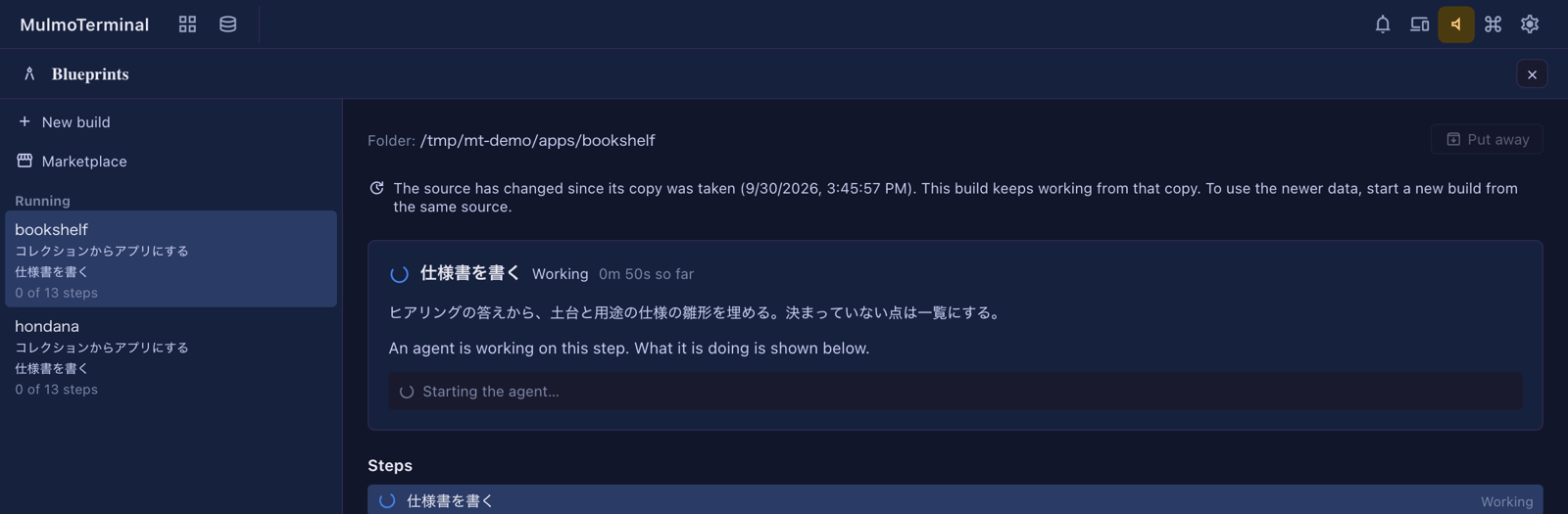
A notice when the source changed after the copy (#2715). The build keeps working from its copy; opening it says so in one line when the collection or app has changed since. To use the newer data, start a new build.
The whole procedure — the questions, what is copied, the steps on each base, how the records move, the keys for AI features, and troubleshooting — is on its own page: From a collection to an app.
What looks different
- The Files tree’s right-click menu is in your language, and right-clicking the empty space below the files offers New file and New folder (#2708).
- Settings → Sessions and background tasks has a box for the experimental “the server runs on another machine” (
remoteServer) (#2701; remote server).
Under the hood
Nothing to do for any of these.
- Recommended keys treat a key held by a newer version’s shortcut as taken (#2700).
- The Files tree refuses more Windows device names, and a long file extension no longer blocks moving to the Trash (#2703).
- Copying a Preview code block: letters joined inside a word are not flagged, a closed dialog stays closed, and the button no longer scrolls away (#2698).
- Blueprints on Supabase: a table the spec opens to everyone passes the linter, the local stack restarts when its config changes, the skills’ instructions are clearer, and a feature needed early is built once (#2686, #2687, #2690, #2695).
- Internal: a test’s stub process now ends with its supervisor (#2696).