11.3.0 — Decide a plan on a page
A snapshot as of 11.3.0 (released 2026-10-22). It will go stale as the app moves on — that is expected, and the living reference is the guide each section links to.
New features
Decide a plan on a page
Ask the agent for a plan you can look at instead of a wall of text (#3163, #3168). For example:
Plan this change as HTML.
The bundled mulmoterminal-html-plan skill lays the plan out as a page in the Canvas, the pane on the right of the terminal: what is settled, what the agent assumed (with a box to untick when it got that wrong), and each open choice as small mockups or controls you can try side by side. Pick, adjust, type a note, and press the button at the bottom of the page. A short Sent to the conversation appears, and your decisions arrive in the terminal as your next message — the agent carries on from there.
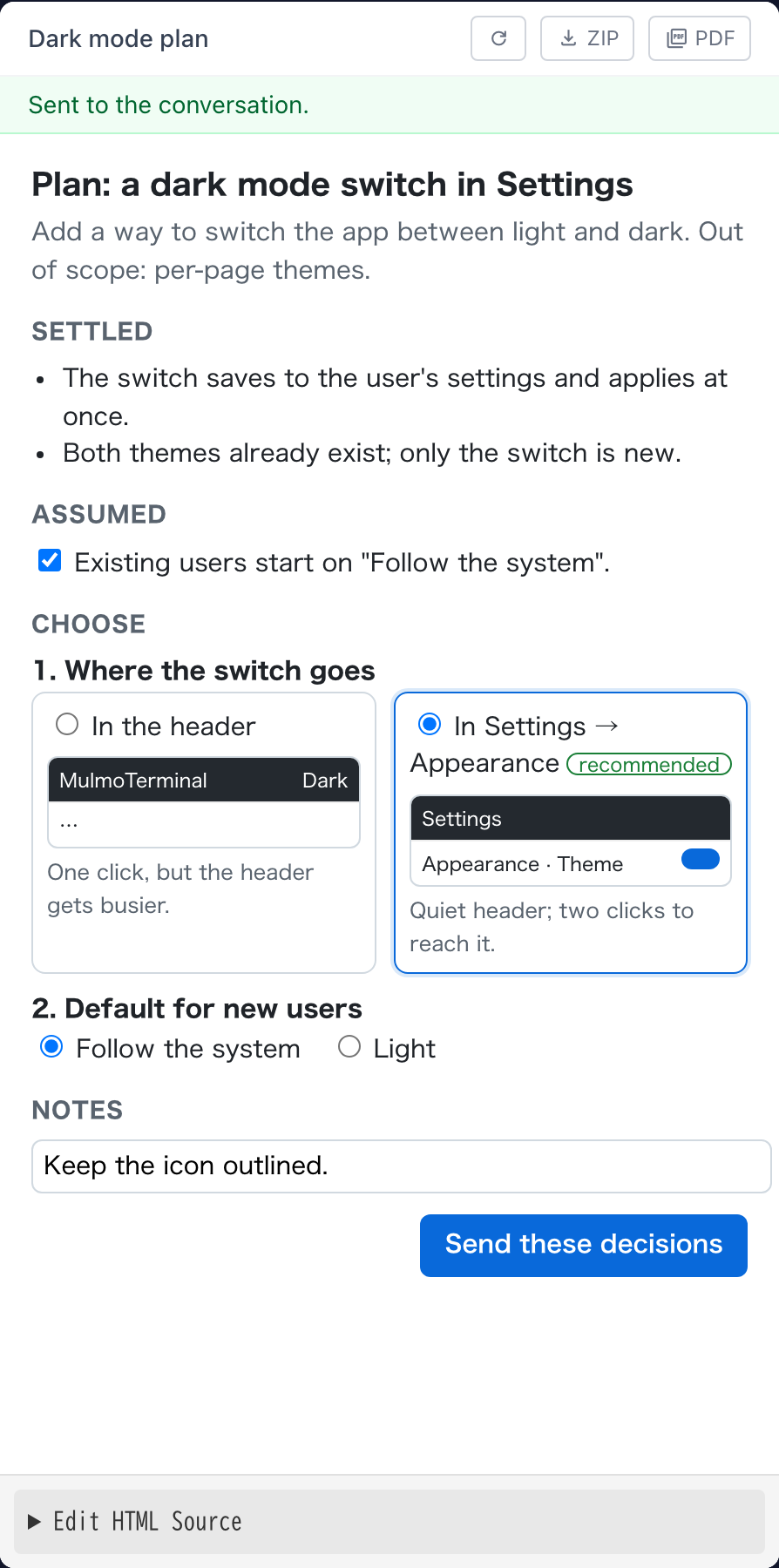
If the Canvas is not open, the cell’s header shows a pencil button with a count; press it, or open the cell’s Tools menu (the wrench) and choose Canvas.
More: Features.
Edit a video by asking
Ask the agent to cut a part out, join clips, change the speed, even out or replace the sound, make it vertical, add subtitles made from what is said, or put a title on screen (#3160). The bundled mulmoterminal-video-edit skill does it with ffmpeg (brew install ffmpeg); subtitles from speech also need whisper-cli (brew install whisper-cpp). The original is never changed: the result is a new file beside it, opened in the pane.
More: Features.
What looks different
- A page that is not the agent’s own plan page — one it opened from a file, for example — shows a bar above it with exactly what would be sent when its button is pressed; it is sent only when you press Send in that bar (#3163).
- Word clouds are drawn by a dedicated word-cloud library: they can take a shape (a circle, a star, a diamond and others) and export to PNG, but no longer to SVG (#3164, #3165).
- The spreadsheet guide shows what the charts and the table-answering formulas look like (#3161).
Under the hood
Chart fixes
A map drawn from a sheet range no longer paints the regions with no data as if they were the largest, and the labels of a 3D chart read on the dark theme (#3164). Nothing to do.
Updated libraries
The chart, HTML page and core libraries were updated (#3164, #3165, #3168). If you run MulmoTerminal from a clone, run yarn install after pulling, or the plan page’s button falls back to the bar.