6.5.0 — Blueprints (experimental), and marking a session unread
A snapshot as of 6.5.0 (released 2026-09-27). It will go stale as the app moves on — that is expected, and the living reference is the guide each section links to.
Blueprints (experimental)
The toolbar has a new Blueprints button. A blueprint asks you about the app you want, writes the answers up as a specification, and then has Claude Code build it step by step — each step checked by a script before the next one starts. It stops only for what a person must decide: approving the specification, anything that costs money, publishing.
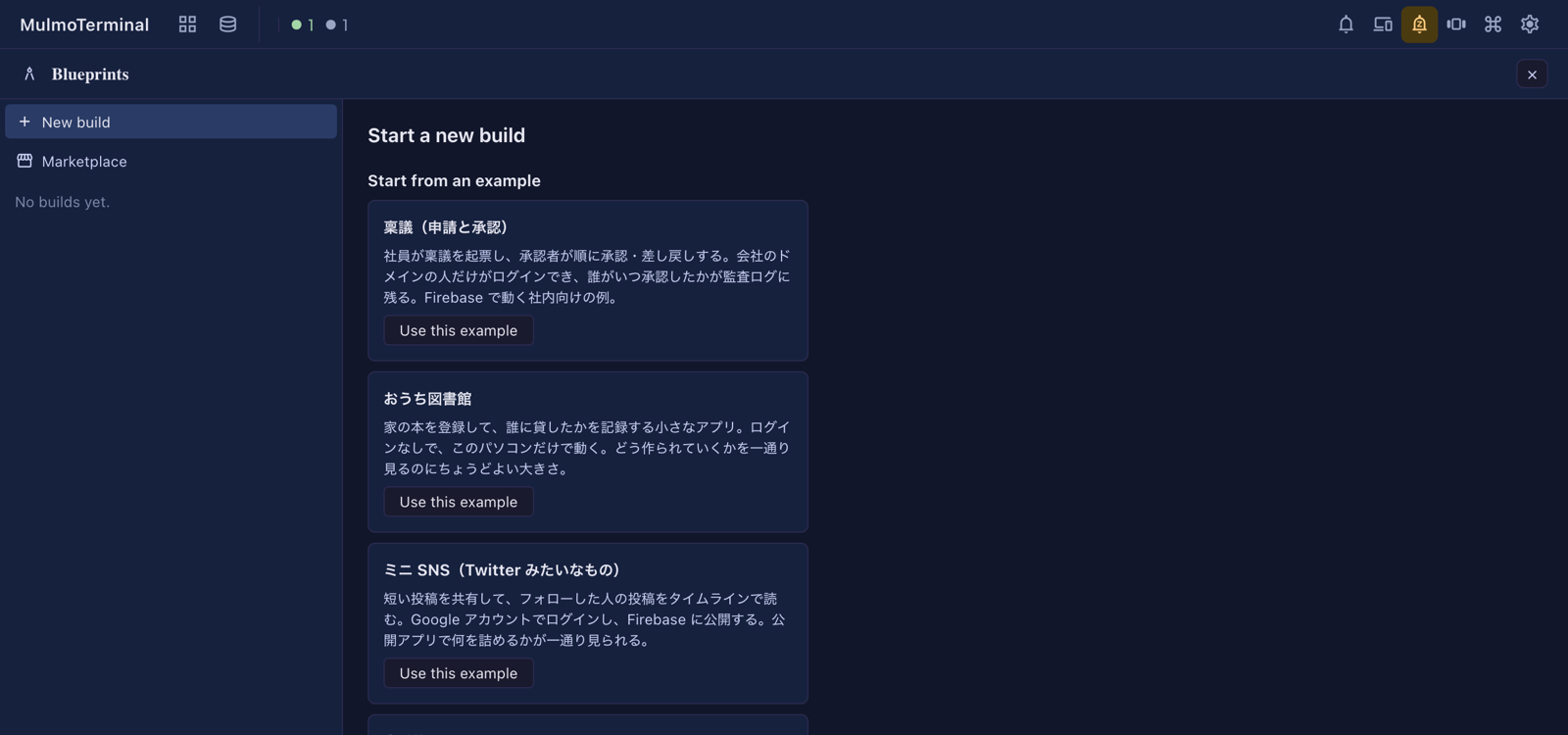
- Start with a local build. The
localbase (Express + SQLite + Vue) stays on your machine and needs no cloud account. Pick the おうち図書館 (home library) example to see a whole run. - Trust the folder first. A build runs with nobody watching, so it only starts inside a folder Claude Code already trusts, and the folder must not be a git repository.
- It uses more Claude than a chat — every step is its own Claude Code session.
- The packs and their questions are in Japanese for now; the screens follow your language setting.
- Only one MulmoTerminal per machine runs builds. A second one can show them but refuses changes.
How to tell you have it. npx mulmoterminal --version says 6.5.0, and the top bar has the Blueprints button.
The whole walkthrough, what to try and how to report back: Blueprints.
Mark a session unread from the roster
When you enlarge a terminal, each row of the cockpit roster now has a ⋮ menu — in every sort order, not only manual. A right-click anywhere on the row opens the same menu.
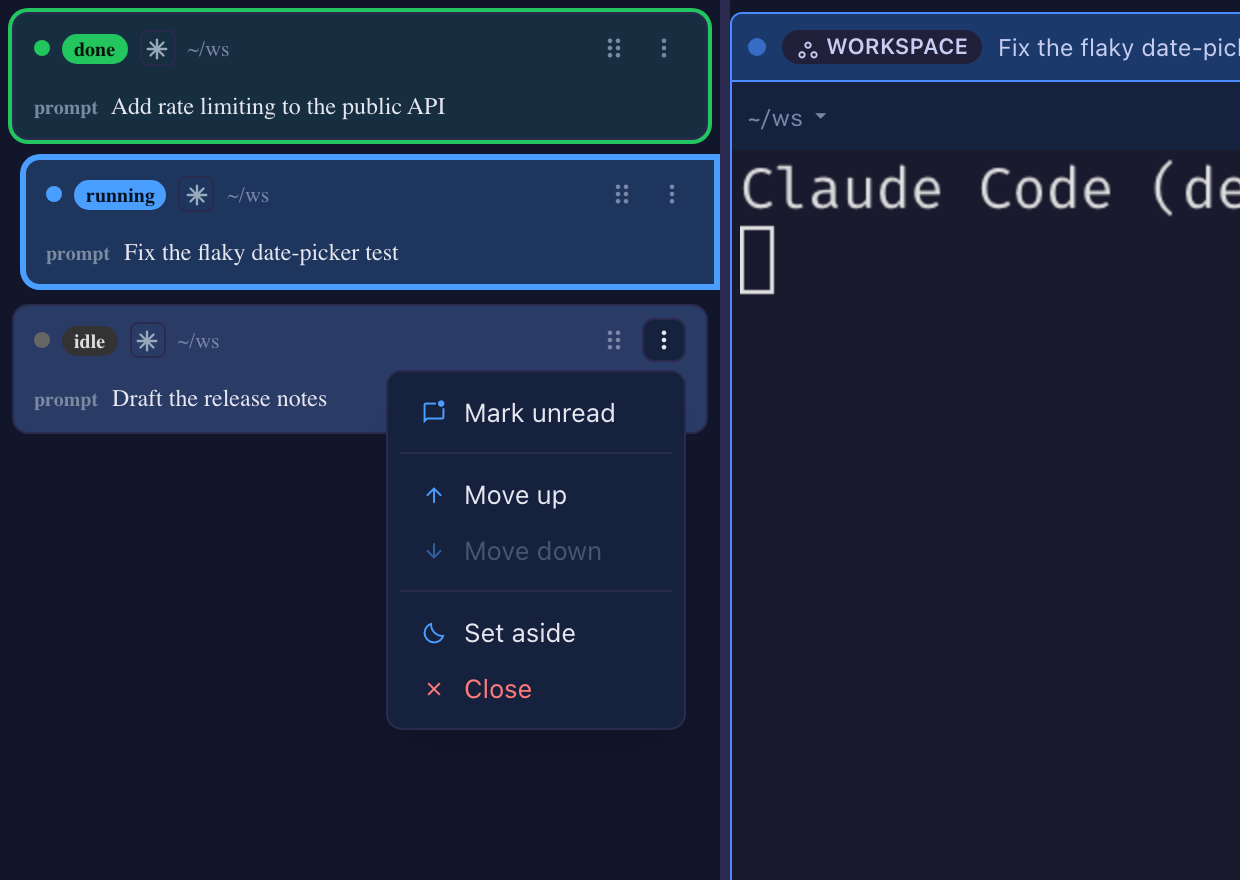
- Mark unread puts the green done colour back on an idle row, so you can come back to it later. Only the colour comes back: no sound, no push. Opening the terminal clears it as before.
- Mark read clears a row that is waiting on you.
- Set aside and Close do what the terminal’s own header buttons do. Close ends the session at once, and leaves any worktree on disk.
- Move up / Move down are still there in manual sort.
Mark unread and Close sit at opposite ends of the menu, so a slip cannot end a session. None of this enlarges the row you act on.
How to tell you have it. Enlarge a terminal: every roster row has a ⋮, and on an idle row the first item is Mark unread.
More: Zooming into one (the cockpit roster).
New in the guide
- Shared apps now walks through one app from start to finish — taking attendance — and says where a shared app meets a MulmoClaude collection.
- Shared apps has a Japanese version.