13.2.0 — Changed files and memory in the Library
A snapshot as of 13.2.0 (released 2026-11-20). It will go stale as the app moves on — that is expected, and the living reference is the guide each section links to.
Upgrade:
npx mulmoterminal@latest
Nothing to configure: both additions are in the Library (More features → Library), which arrived in 13.1.0.
New features
The files a conversation changed
Open a conversation in the Library. At the bottom of the reader, a Changed files strip lists the files that conversation edited. Open it and pick a file to see the change:
- Whole conversation: the file before the conversation first touched it, against the file as it is now.
- v1 → v2, v2 → now, …: one turn’s change at a time.
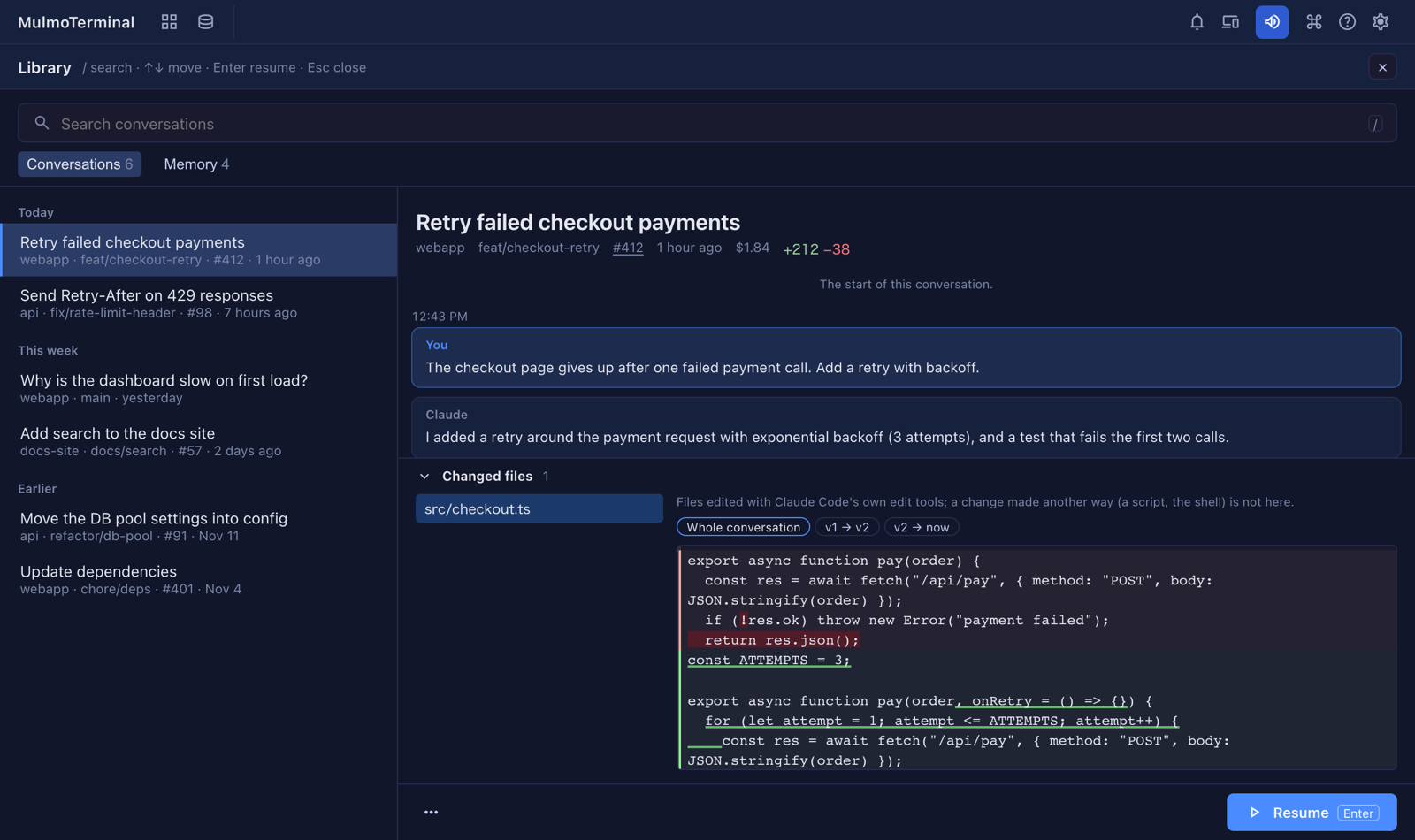
This comes from the copies Claude Code keeps when it edits a file, so only files changed with Claude Code’s own edit tools are listed — a change made by a script or in the shell is not, and the strip says so. It is read only: nothing is restored or written (#3350).
Claude Code’s memory, by project
A Memory tab sits beside Conversations. It lists Claude Code’s automatic memory for every project, grouped under the project’s folder name.
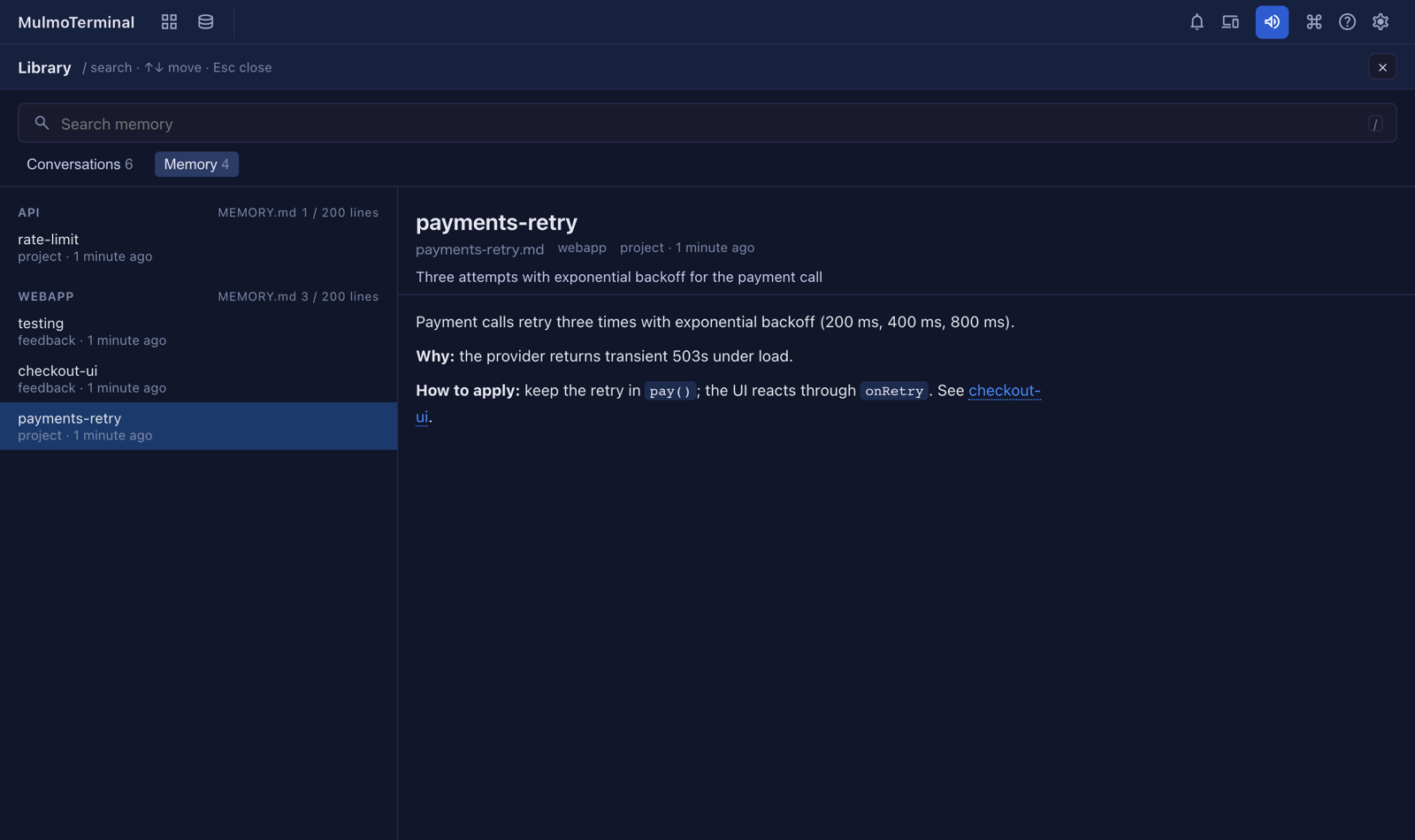
- Each project heading shows how full its
MEMORY.mdis against what Claude Code loads at the start of a session, and warns when it is nearly full — past that, Claude Code stops reading the rest. - Pick a memory to read it as formatted text. A
[[name]]link opens the memory it names; one that names nothing in that project is shown as plain text. - The search box narrows the list by name, description or file name, and the arrow keys move.
It is read only for now: editing comes later (#3352).
More: Feature reference — Library.
What looks different
- The Library has a Memory tab beside Conversations (#3352).
- The Library’s reader has a Changed files strip at the bottom for a conversation that edited files (#3350).
Under the hood
Nothing else changed. Neither addition writes to ~/.claude: the changed files are read from Claude Code’s own file history, and the memory from each project’s memory folder (#3350, #3352).