6.1.0 — A picture behind a project’s terminals
A snapshot as of 6.1.0 (released 2026-09-25). It will go stale as the app moves on — that is expected, and the living reference is the guide each section links to.
One thing to configure, and only if you want it: backgroundImage in a project’s .mulmoterminal.json.
A background image per directory
Configure it — per directory, in <project>/.mulmoterminal.json (or .mulmoterminal.local.json to keep it out of the repository).
{ "backgroundImage": { "image": "art/wallpaper.jpg", "opacity": 0.2, "fit": "cover" } }
A bare string works too: "backgroundImage": "art/wallpaper.jpg" is 15% opaque and fills the terminal. Every terminal in that directory picks it up without a restart — at once when an agent writes the file for you, or on the next reload of the tab after a hand edit.
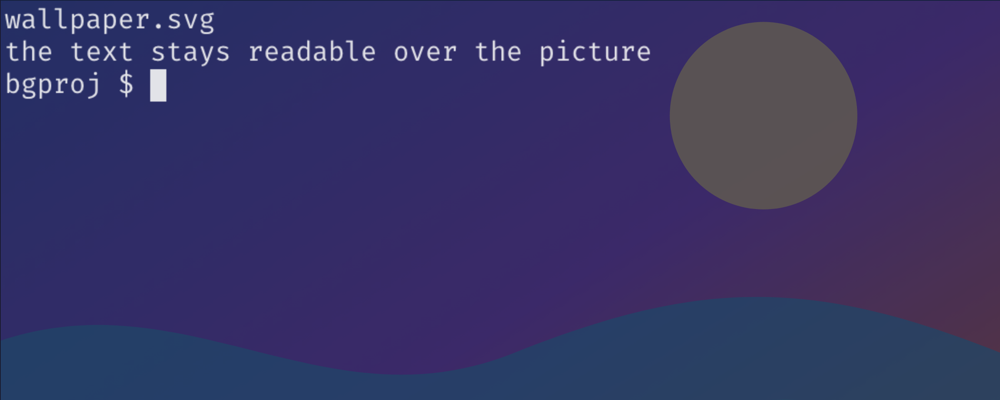
- The text stays readable. The picture is blended with it: on a dark theme only what is lighter than the terminal background shows, on a light theme only what is darker.
- Opacity is the one to tune — above 0, at most 1. A photo usually wants 0.1–0.2.
fit:covercrops to fill the terminal,containshows the whole picture.- The image follows
icon’s rules: a file inside the directory (a../that escapes is refused), anhttp(s)://URL, or adata:image/…URI. - A personal picture is best kept out of the repository: put it somewhere your
.gitignorealready covers and point.mulmoterminal.local.jsonat it.
How to tell you have it: Settings → When a setting isn’t working shows a Background image row for the directory. If the key is listed as ignored instead, the file is missing, not an image, or the opacity is out of range.
Living guide: Configuration → Terminal background.