13.4.0 — Ask Claude to tidy a project’s memory
A snapshot as of 13.4.0 (released 2026-11-22). It will go stale as the app moves on — that is expected, and the living reference is the guide each section links to.
Upgrade:
npx mulmoterminal@latest
Nothing to configure.
New features
Ask for a tidy-up of a project’s memory
13.3.0 let you fix memories one at a time in the Library. Now you can ask Claude to look at a whole project’s memory and propose what to do with it.
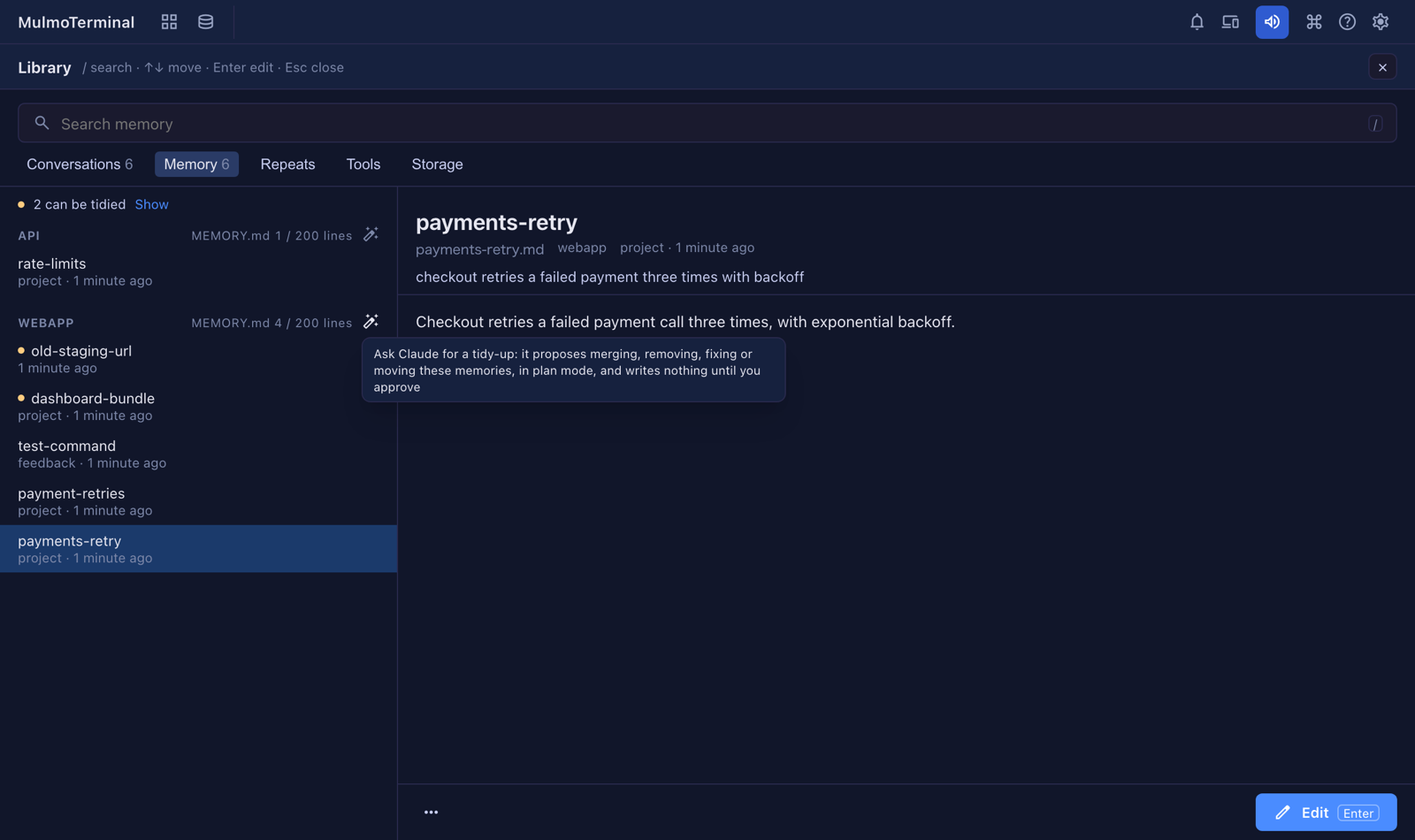
- Open More features → Library → Memory.
- Each project heading (WEBAPP above) ends in a wand button. Press it on the project you want tidied.
- The Library closes and a Claude cell opens in plan mode, in that project’s directory. It runs the bundled
mulmoterminal-libraryskill on that project’s memory folder. - Claude reads every memory, the project’s
MEMORY.mdand what the Library’s health check found, and proposes a plan:- merge memories that say the same thing into one,
- remove memories that no longer hold — it checks the code before saying so,
- fix what the health check marked (a memory missing from
MEMORY.md, missing frontmatter, a[[link]]to no memory, and so on), - move a standing rule to a
CLAUDE.mdor a skill, where it belongs.
- Nothing is written until you approve the plan. When you do, every file it changes or removes is backed up first under
~/.mulmoterminal/library/backups/, andMEMORY.mdis kept in step. To put a file back, copy it from there.
The button refuses, with a line under the heading, when the project’s directory is not on this machine, or when two directories the Library knows would both use that memory folder — Claude would not know which code to check the memories against (#3394).
Reference: Features → Library.
What looks different
- Each project heading in the Library’s Memory has a wand button at its end, beside the
MEMORY.mdgauge (#3394).
Under the hood
- The Memory view now names a project’s directory by the same rule Claude Code uses for its memory folder (the directory’s real path, with
_and other characters folded to-). A project whose directory name contains_, or that you reach through a link, now shows its directory where it used to show none. When two directories would share one folder, none is named rather than a guess. Nothing to do (#3394).