11.7.0 — Right-click a path to choose how it opens, and a tab shows the source too
A snapshot as of 11.7.0 (released 2026-11-03). It will go stale as the app moves on — that is expected, and the living reference is the guide each section links to.
New features
Right-click a file path to choose how it opens
A file path an agent prints in a terminal has been a link for a long time, and a click decided for you where it went: the pane beside the terminal when one was open, otherwise a tab or the Files view by the file’s extension. Now right-click the path instead and a small menu opens on it (#3256):
- Open in the pane — what a plain click does.
- Open in a new tab — the rendered document for Markdown, JSON and CSV/TSV, the Files view in a tab of its own for source code, and the one-file link for a picture or a PDF outside the cell.
- Open in the Files view — the full-screen Files view in this tab.
- Copy the path — the absolute path, ready to paste into a prompt or an issue. A relative path is resolved against the cell’s directory,
.and..included, and a Windows cell gets\separators. A short notice under the pointer says whether the copy worked.
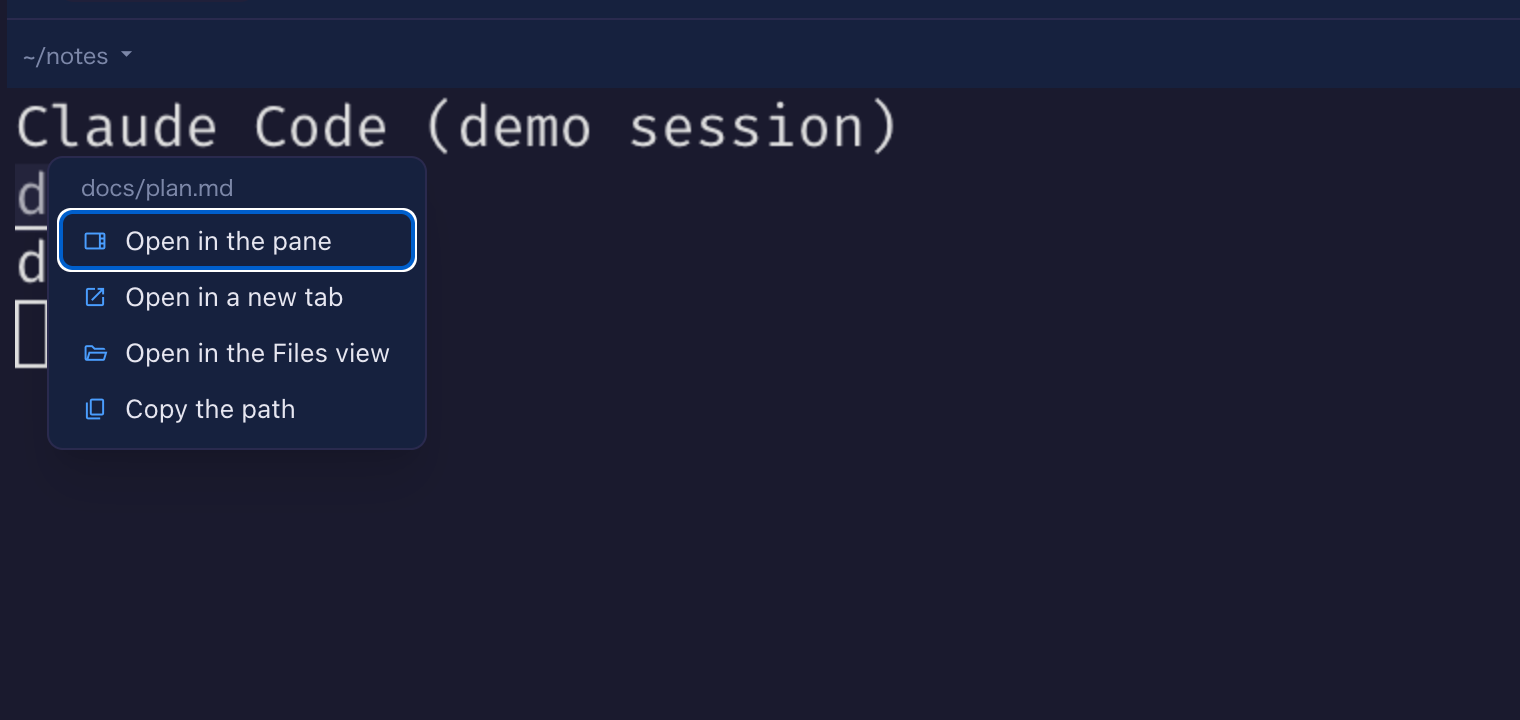
Try it: have an agent print a path, or type one yourself in a shell cell, then right-click it. The menu takes the focus: the arrow keys move between the items, Enter picks, Escape closes and the terminal gets the keyboard back. Off a link the right-click is the browser’s own menu, as before, and Cmd/Ctrl+click still opens a new Files tab. One thing changed on purpose: a right-click used to open the file as well, under the browser’s menu, because the terminal fires a link on any button; it no longer does. More: Features under “Clickable file paths”.
A document opened in a tab of its own has a toolbar
When a Markdown, JSON or CSV/TSV file opens in a tab of its own — from the menu above, or by Cmd/Ctrl+click — the tab now starts with a toolbar (#3252): Preview and Source switch between the rendering and the file as it is, Copy source puts the exact text on the clipboard, final newline included, and Copy preview copies the rendering as text and as HTML in one go, so pasting into a rich editor keeps the headings and the table and pasting into a plain field gives the words. The toolbar says “Copied” for a moment when it worked. The preview beside a terminal is unchanged — the pane has its own editor and copy button.
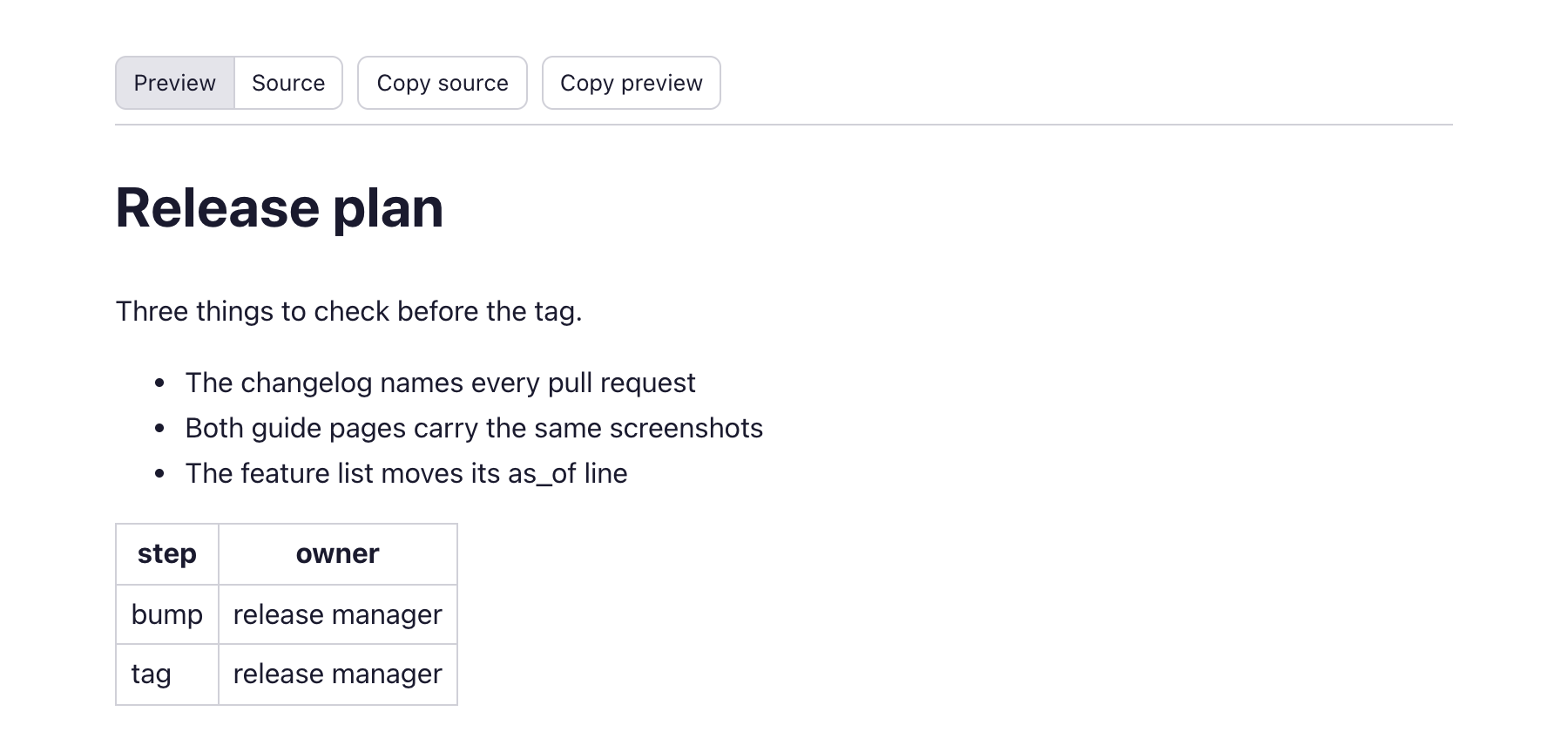
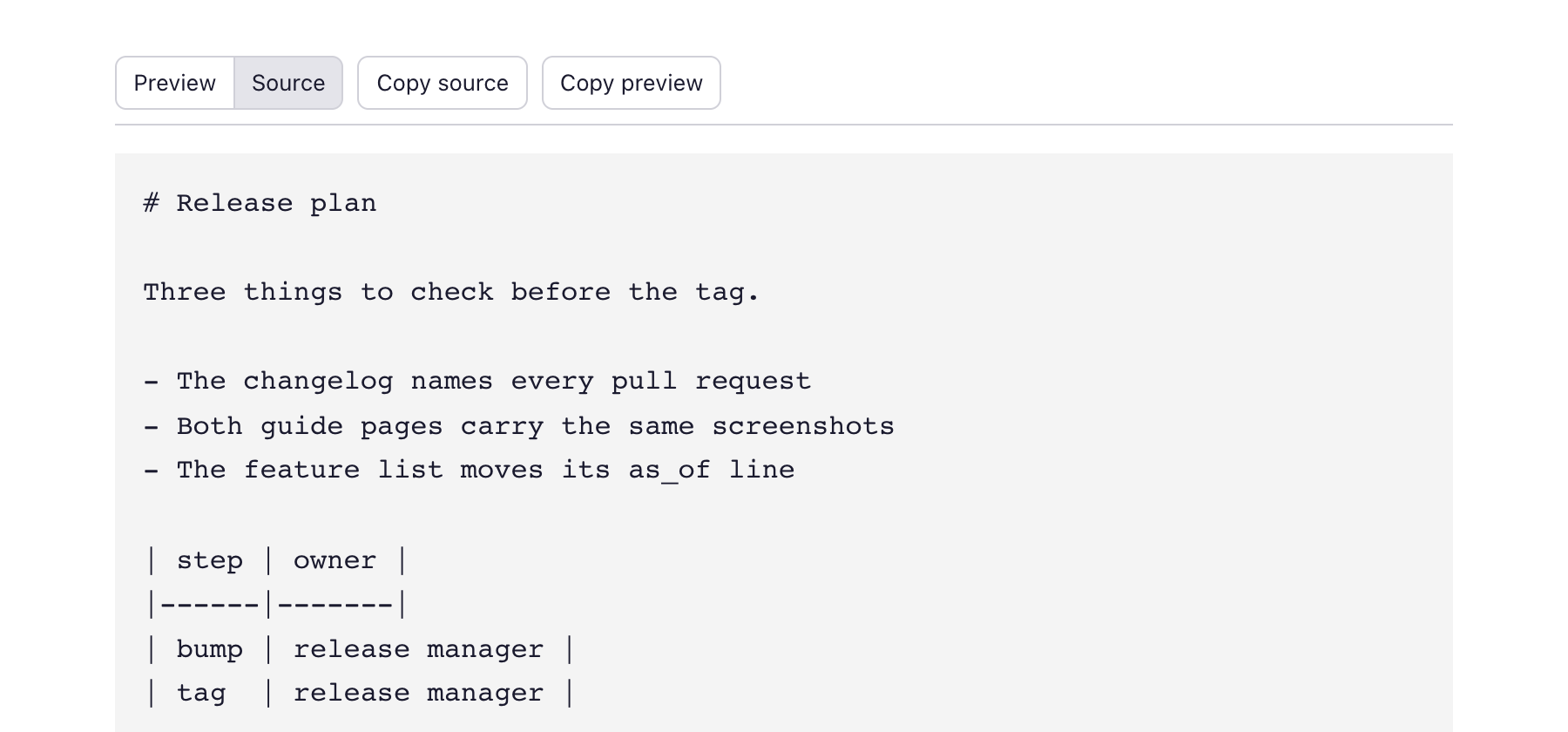
A Markdown file can carry its own HTML and its own stylesheet, and two cases in that first version were fixed before this release shipped (#3259): a file whose stylesheet overrode the browser’s hidden rule could keep both views on screen, and Copy preview pressed while Source was showing copied the rendering as hidden, which some editors then dropped on paste. Both behave now; nothing to set up. More: Features under “Clickable file paths”.
The name other Claude Code sessions message a cell by
Claude Code sessions on one machine can message each other, and each one has a name for that — the kind myrepo-66 — which until now you could only see from inside another session. A Claude cell’s header now shows that name as a small chip; click it and the name is on the clipboard, ready to paste into another session’s prompt (#3241). Nothing to set up: the chip reads what Claude Code already records about its running processes, and it appears once the session is up. Only a session started in the cell’s terminal counts: a program running claude from inside the cell (a plugin, say) does not take over the chip (#3245). No screenshot here — the chip needs a second real Claude Code session to be worth looking at. More: Configuration under “Customizing the header”, where the peer chip can be moved or hidden.
Windows: backslash and drive paths are links too
In a cell whose directory is a Windows path, a tool prints .claude\evidence\test.md or C:\work\app\src\a.ts, and those are now clickable like any other path (#3243): a backslash separates, a drive letter stays on the path, and a \\server\share network path is left alone. The click goes where it would for the / form of the same path, and the right-click menu above works on them too. Nothing to set up; on macOS and Linux a backslash is still just a character in a file name.
What looks different
- A path with a space in it is linked whole when it is enclosed in quotes, backticks or brackets —
Read(/Users/me/My Docs/a.md), say (#3247). Before, only the part after the space was underlined, and the click opened the wrong file. A path with a space and nothing around it is still cut at the space. - Files lists a linked folder as a folder (#3240). A symlink, or a junction on Windows, that points at a folder showed as a file and could not be opened; it now opens like any folder. A link that points at something that is gone stays a file of size 0.
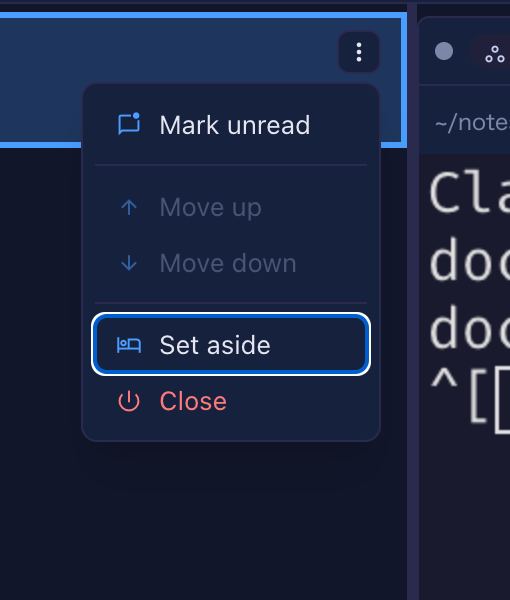
- The roster’s row menu works from the keyboard (#3260). Enlarge a cell, press the ⋮ on a row of the roster beside it: the first item has the focus, the arrow keys move between the items and wrap around, Home and End jump, a direction the row cannot move in is skipped, Tab or Escape closes the menu and puts the focus back on the ⋮. Before, the keys did nothing in that menu.
Under the hood
Windows: stopping the server saves its state every way
Nothing to do, and you only notice it by what no longer goes missing: on Windows, stopping the server with Ctrl+C, with mulmoterminal stop, with the Stop button in the browser, or by stopping yarn dev ended the process before it could write queued session state to disk, so the last changes to a session’s notes and names could be lost (#3251). Every one of those now runs the server’s own shutdown first. For people running from source, yarn dev on Windows no longer force-kills the backend on Ctrl+C either (#3255).
Volta: yarn and node in a cell use your project’s versions again
If you start MulmoTerminal under Volta, yarn in a cell could fail with Volta error: Node is not available., and node or npm could ignore the project’s pinned version (#3239, #3242). A marker and a path entry Volta sets for its own launcher leaked into the cells; both are now kept out. Nothing to do.
Nothing to notice
- A leftover list of names the psmux multiplexer scrubbed from a cell’s environment is gone; the shared rule covers it (#3249).