7.1.0 — The Files pane keeps history, outlines Markdown and points the agent at lines
A snapshot as of 7.1.0 (released 2026-09-30). It will go stale as the app moves on — that is expected, and the living reference is the guide each section links to.
Nothing needs configuring. The optional steps are binding the new focus-mode and files-insert-selection actions, and switching on the top bar’s search box — all below.
The Files pane: history, outline, tables, and lines for the agent
Enlarge a cell and open its Files pane (the path menu’s Browse files in the app), as before.
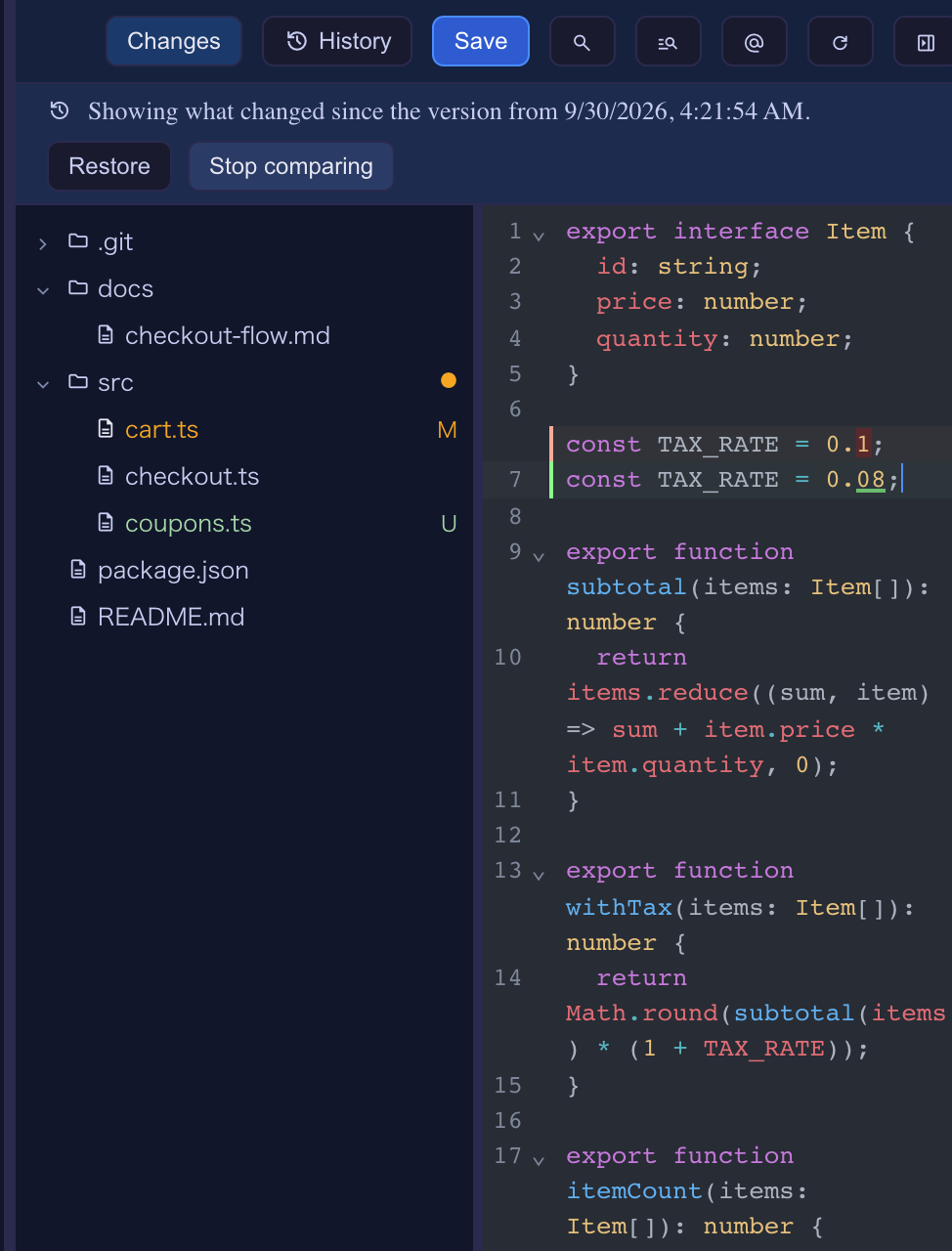
History. The pane already kept copies of a file (when it opens, before it is overwritten, and a buffer a conflict reload throws away), but nothing read them back. History in the pane’s header now lists them, newest first:
- Compare marks what changed against that version instead of against the last commit, with the removed lines shown, and a banner naming the version with Restore and Stop comparing.
- Restore puts that version in the editor as an edit: it can be undone, the file is marked unsaved, and saving keeps the text you replaced as a version too.
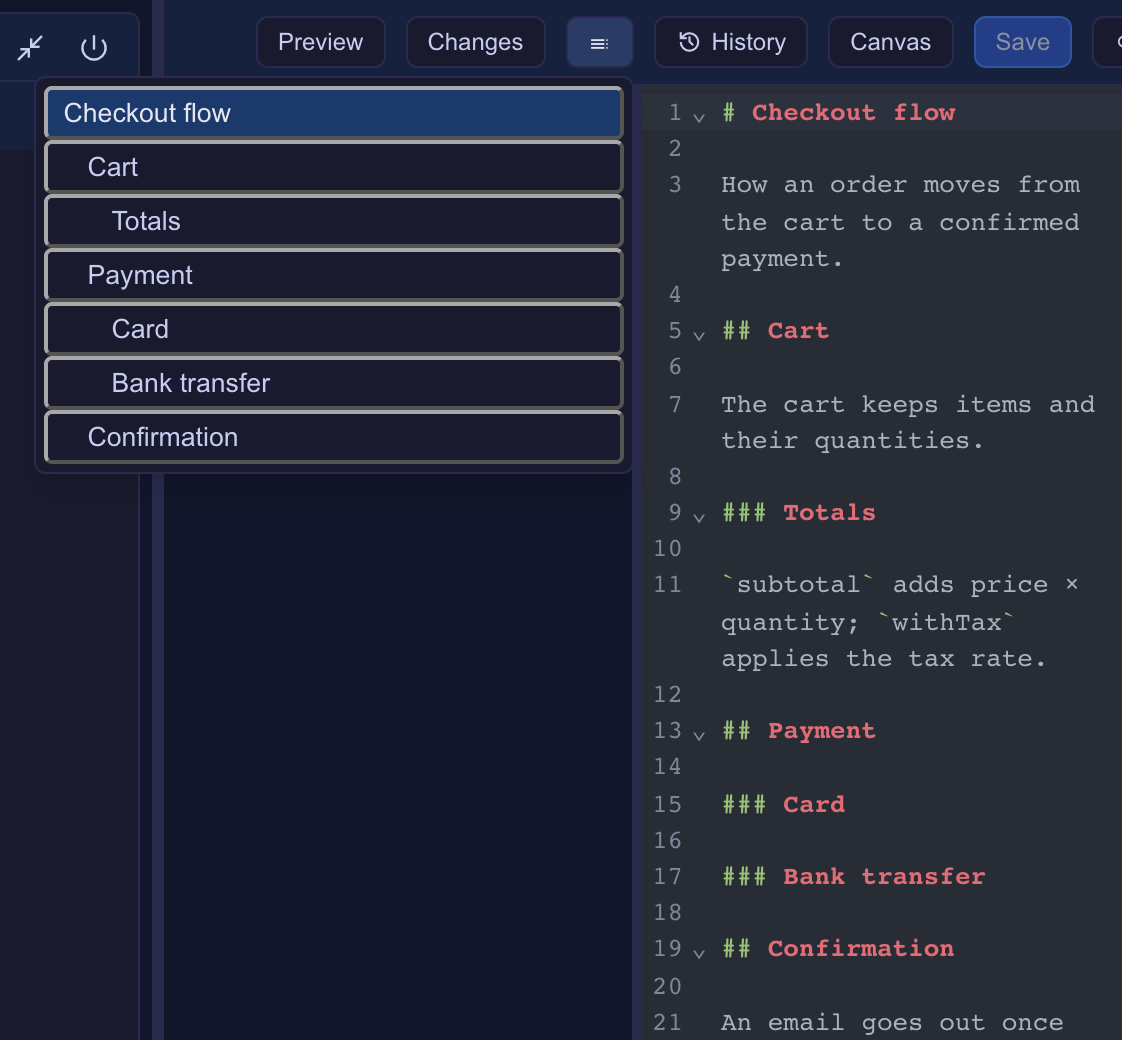
Outline (Markdown files). The Outline button in the header (a list icon) shows the file’s headings, indented by level, with the one you are under marked. Picking one goes there — the line in the editor, or the heading in the Preview.
A table for CSV / TSV. A .csv or .tsv now has a Preview like Markdown’s, drawn as a table in the app’s colours.
Point the agent at the lines you selected. Select some lines and press @ in the pane’s header: @path#L12-18 (or #L12 for one line, or the path alone with nothing selected) is typed at the cell’s prompt, unsent. Unsaved edits are saved first, since the agent reads the file on disk. The keymap action files-insert-selection does the same (no default binding).
Living guide: Editing files beside a terminal.
Clicking a path in the terminal
path:lineopens at that line.src/a.ts:42,src/a.ts:42:7(gcc, eslint,grep -n) andsrc/a.ts(12,5)(tsc) are now one link, and the file opens with the caret there.- An HTML path opens as the page. With no Files pane up, clicking an
.htmlpath an agent printed used to show its source; it now opens the rendered page.
Focus mode: the browser’s tab keys for your keymap
A browser keeps Cmd/Ctrl+W, T and N for itself, so a binding on one never fires. The new action focus-mode puts the app full screen and, where the browser has Keyboard Lock (Chrome, Edge, Arc — on https or localhost), hands only those tab keys to your keymap. Esc leaves, as always. A note at the bottom says whether the keys were handed over, and why not when they were not.
Bind it in keymap (it has no default binding), or pick Focus mode in the command palette on the Terminals screen:
{ "keymap": { "focus-mode": "Ctrl+Shift+f" } }
Settings now says which keys a browser keeps. In Settings → Keyboard shortcuts, a binding the browser keeps on your platform carries a never fires mark (its tip names a way out), and a note under the list names those keys. The server’s startup check warns about them too.
Living guide: Keyboard shortcuts (keymap).
A search box in the middle of the top bar (opt-in)
Switch on Search box in Settings → Grid header read-outs (paletteSearchBox), and the top bar shows, on every screen, a box that opens the command palette. It is off by default; the Commands button and the palette’s key are unchanged. On a narrow window the box shrinks, and it is left out below tablet width.

Fix: the Markdown Preview’s messages
The Files pane now listens only to the Markdown Preview document it asked for. A Markdown file could navigate its own preview frame and send the pane messages as if it were the preview; each preview now carries its own token, and messages without it are dropped. Nothing to configure.
Blueprints
- A Cloudflare base. A Worker serves the API, D1 holds the data and the same Worker serves the Vue screen, checked locally with
wrangler devbefore publishing. From a collection runs on it too, moving records into D1 and files into R2. - The build list puts what waits for you first: waiting for you (an approval, an answer, a stop), in progress, and done.
- Documents: the facts view writes
$320and(Thursday)for an English document; a weekday mismatch records the actual weekday the way the document writes it; a time range with AM/PM once keeps both times; a total’s difference is stated the right way round; an answer about a contract names the paragraph the way the contract does; every rule a style turns on is shown firing; the document packs run chaff 0.14. - Smaller fixes: the new-build form opens on the documents base again, whatever order the disk lists the packs in; a form kept while trusting a folder survives a reload; builds keep TypeScript at 6, which the actions check needs.
Living guide: From a collection to an app.