4.27.0 — Open a file by name in the Files pane
A snapshot as of 4.27.0 (released 2026-09-17). It will go stale as the app moves on — that is expected, and the living reference is the guide each section links to.
Nothing to configure to get the feature. There is a button, and it is there as soon as you upgrade:
npx mulmoterminal@latest
The keyboard shortcut is opt-in, and that part is the only thing here that needs a config file.
The feature
The file tree opens one directory at a time. That is the right shape when you are browsing, and the wrong one when you already know the file’s name and only its directory escapes you — you end up walking the tree to reach something you could have typed.
The pane’s header now has a search button. Press it, type part of a name or a path, and pick from the list.
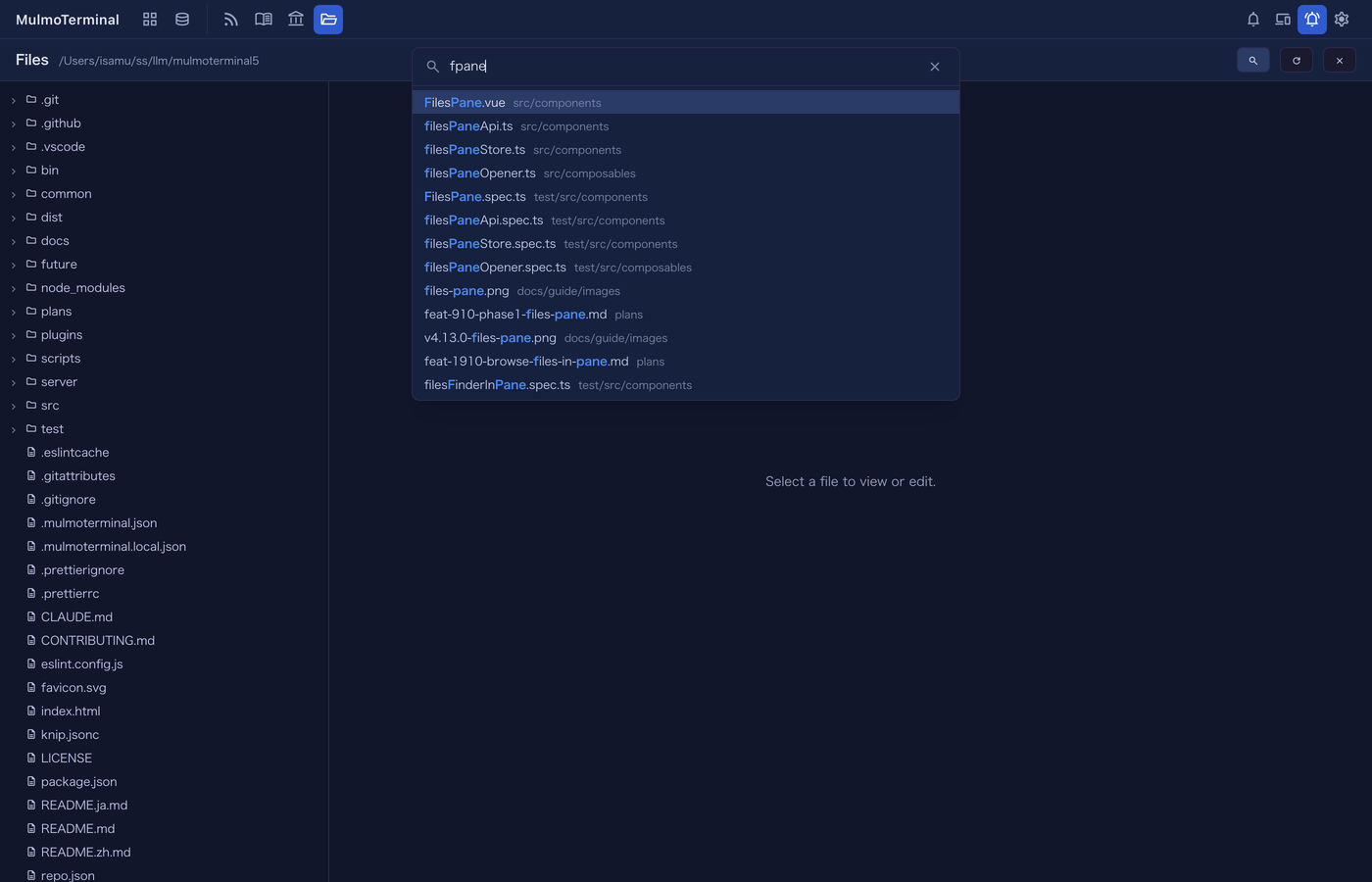
Three things about it are worth knowing before you use it.
The match is fuzzy, and it is ranked on purpose. You do not have to type a contiguous piece of the name: fpane finds FilesPane.vue, and so does srccompfp. The ranking prefers an unbroken run of characters, a match at the start of a word (after /, -, _, . or at a camelCase boundary), and a hit on the file’s own name over the same characters strewn through the directories above it. The matched characters are highlighted, so you can see why a row is where it is.
Picking a file expands the tree down to it. It is a reveal, not just an open — the tree is how you get to the files around the one you were looking for, and a file opened into a collapsed tree leaves you where you started.
Arrow keys and Enter work, and so does clicking. Esc closes it without opening anything. Home and End are left to the text field, where they move the cursor.
The living reference is Basics → the file tree.
What is NOT in the list
A finder that quietly leaves something out is worse than one that finds nothing, so the panel says so when its list is not the whole project. Two notes can appear under it.
“Not a git repository, so .gitignore is not applied — only node_modules and a few other caches are skipped.” In a git repository the candidates come from git itself, which means every .gitignore in play is honoured: the one at the root, any nested ones, .git/info/exclude, and your global excludes. node_modules never appears. A directory that is not a repository has no such authority to ask, so the tree is walked instead — nothing is filtered except a short list of directories nobody authors by hand.
“The finder may not be listing every file here.” The list has a cap, and a walk has a budget. If either stops the search early, the panel says so rather than letting you read a short list as a complete one. Narrow the name and the file will be there.
Bind a key to it
There is no default binding, because every key you bind is a key the program inside the terminal stops receiving. Add one to ~/.mulmoterminal/config.json under keymap:
{
  "keymap": {
    "zoom-toggle": "F8",
    "files-find": "F9"
  }
}
Restart the server and reload the tab. Now F9 opens the finder — and if the Files pane is not open, it opens the pane first, rooted at the directory of the terminal you are looking at.
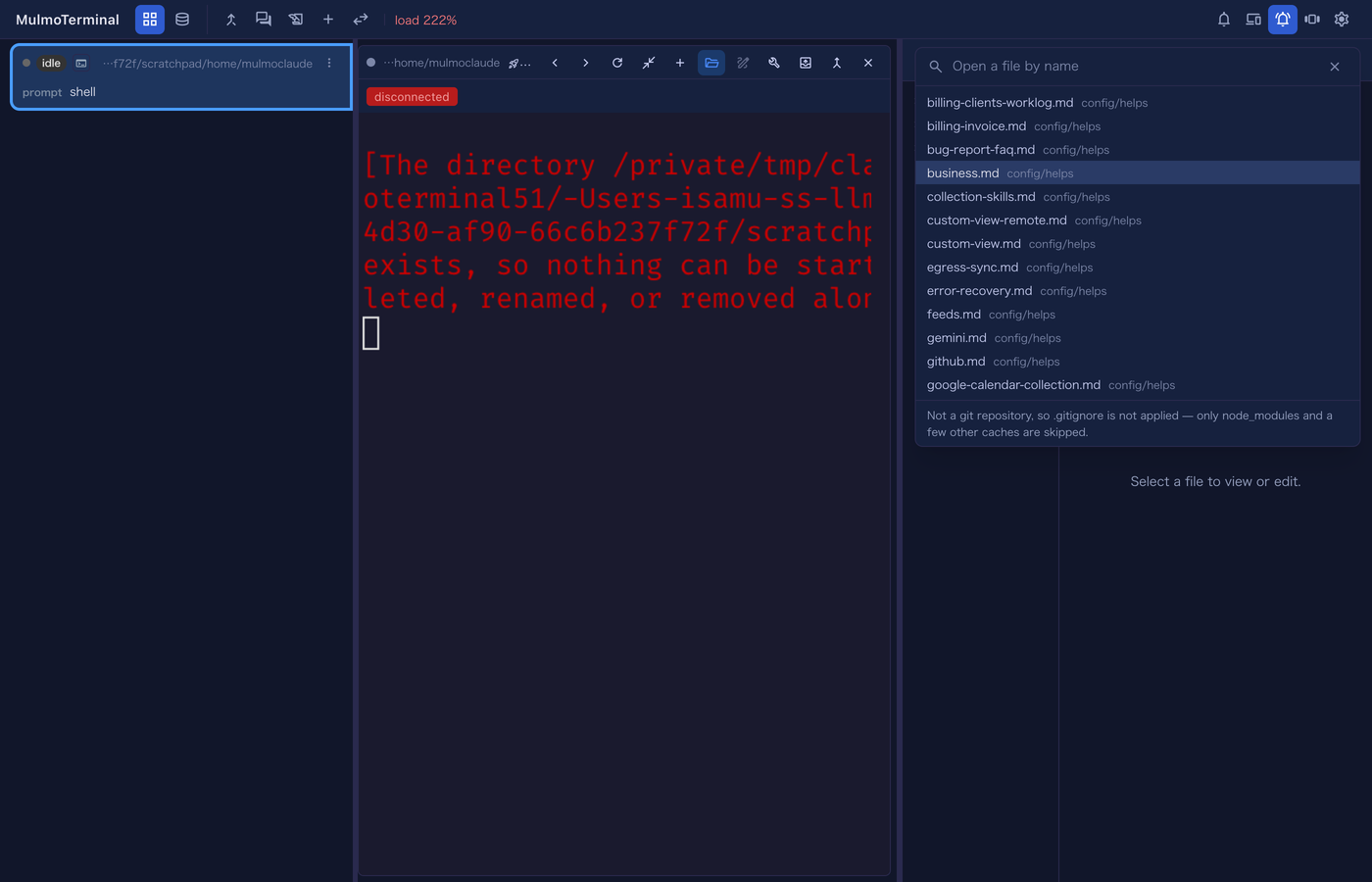
Two things to know when you choose a key:
files-findneeds an enlarged terminal, because the Files pane only exists in the enlarged row. That is whyzoom-toggleis in the sample above — bind a way to enlarge one, or the shortcut has nowhere to put the pane. If nothing is enlarged the key is left to the terminal rather than doing something surprising.Cmd+Pis not available. The browser reserves it for Print.Ctrl+Pis the shell’s history-back inside the terminal, so it is a poor choice too. A function key or something likeCtrl+Alt+Pis the honest answer.
The Keyboard shortcuts section in Settings lists every action whether it is bound or not, and its Set up shortcuts… button has an agent write the entry for you, checked against your existing bindings and the combinations a browser or a Mac will not deliver.
How to tell you have it
Open the Files pane — a terminal’s header folder button, or the toolbar’s Files — and look at the header. If there is a magnifier next to the reload button, you have 4.27.0.
Also in this release
Nothing here needs anything from you.
- A Windows render flake stopped blocking unrelated pull requests. Three rasterising cases were failing on about 40% of Windows daily runs and occasionally on a required check, so a pull request with nothing to do with rendering could be blocked by it. This only ever affected contributors.
- A headless preview run is bounded end to end, rather than one phase at a time. It could previously spend 45 seconds against a documented 30-second budget.
- The Collections header button now syncs a Google Calendar collection. Pressing Sync on one used to answer
400 … is not a feed (no ingest config). See Features → working from a collection. - The cursor is readable on a light theme, and a theme can now state the xterm palette outright — the cursor pair, the selection foreground and the 16 ANSI colours — in a
themes[].termblock. This shipped in 4.26.0’s window but is recorded here.